EnhanceCraft vs Remove.bg: Best Background Remover for E-commerce Product Photos (2026)
Remove.bg vs EnhanceCraft: one-click background removal — plus upscaling, face restoration, and object removal in one toolkit. Which fits your 2026 workflow?
Munib Ali Laghari
Founder & Lead Developer
Quick answer
Is EnhanceCraft a good Remove.bg alternative?
Yes. EnhanceCraft removes backgrounds with the same one-click AI quality as Remove.bg, handling fine hair edges, then adds upscaling, face restoration, object removal, background replacement, and packaged e-commerce workflows — a product pipeline, ghost mannequin effect, and shadow/reflection generator. You get 25 free background removals to start, then 10 every month instead of a single free credit.
Prefer the quick side-by-side? See the at-a-glance feature table and verdict.
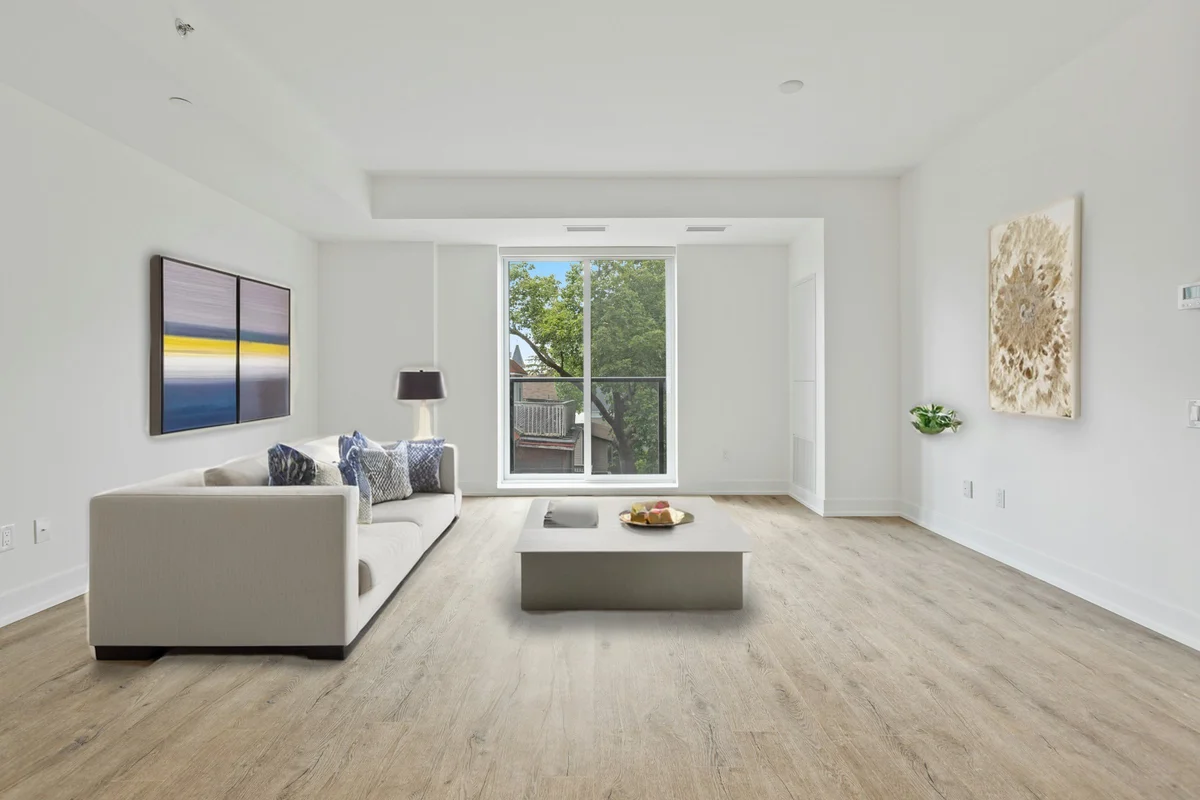
EnhanceCraft vs Remove.bg →Before

After
More examples like this: browse before & after results across every tool.
Remove.bg defined what AI background removal should look like. When it launched, one-click background removal that actually worked was a revelation — no masking, no Photoshop skills, just upload and download a transparent PNG. It built a massive user base, became the default name in background removal, and still handles tens of millions of images monthly.
But background removal in 2026 is a commodity. The real question isn't which tool removes backgrounds better — it's what happens after the background is removed, and whether your workflow requires anything beyond that single step.
This comparison looks at Remove.bg as the background removal specialist versus EnhanceCraft as the complete image enhancement toolkit.
Bottom line: Remove.bg is the fastest path to a single background removal with no account required. EnhanceCraft is the right choice for any workflow that needs more than just background removal — or for users who process images regularly and want a more generous free tier.
Feature Comparison at a Glance
| Feature | EnhanceCraft | Remove.bg |
|---|---|---|
| Background Removal | ✅ | ✅ |
| Background Replacement | ✅ | ⚠️ Solid colors only |
| Image Upscaling | ✅ 2x / 4x / 8x | ❌ |
| Face Restoration | ✅ | ❌ |
| Object Removal (Inpainting) | ✅ | ❌ |
| Text Removal | ✅ | ❌ |
| AI Denoising | ✅ | ❌ |
| AI Deblurring | ✅ | ❌ |
| Anime Upscaling | ✅ | ❌ |
| Old Photo Restoration | ✅ | ❌ |
| Ghost Mannequin & Product Pipeline | ✅ | ❌ |
| Reflection & Shadow Generator | ✅ | ❌ |
| Real-Estate Workflow (virtual staging, sky replacement, day-to-dusk, window pull) | ✅ | ❌ |
| Batch Processing | ✅ | ✅ (API) |
| API Access | ✅ | ✅ |
| No Sign-Up Required | ❌ | ✅ (1 preview/no account) |
| Free Tier | ✅ 25 credits to start, 10/month after | ✅ 1 HD/month (preview unlimited) |
| Pay-as-You-Go | ✅ | ✅ (credit packs) |
What Is Remove.bg?
Remove.bg (remove.bg) is an AI-powered background removal tool built by Kaleido.ai. It is purpose-built for a single task: removing the background from images and returning a transparent PNG. The tool is exceptionally fast (typically under 5 seconds), requires no account for basic use, and produces consistently clean results across a wide range of image types including portraits, products, animals, cars, and graphics.
Remove.bg offers a generous API used by thousands of developers and e-commerce platforms to automate background removal at scale. Pricing is credit-based — each image costs credits regardless of plan.
What Is EnhanceCraft?
EnhanceCraft is an AI image toolkit with complete photo workflows for e-commerce sellers, real estate agents, and photographers. Background removal is one step of a complete toolkit: background removal and replacement, upscaling (2x, 4x, 8x), face restoration, AI inpainting for object and text removal, denoising, deblurring, anime upscaling, old photo restoration, smart crop, batch processing, and format conversion. It also turns background removal into the first step of packaged e-commerce workflows — a one-click product photo pipeline, the ghost mannequin effect for apparel, and a shadow and reflection generator that grounds the cut-out for a studio finish.
Background Removal Quality: Both Are Excellent
Both tools deliver professional-grade background removal with clean transparent PNG output — AI processes complex subjects including hair, fur, and fine details accurately in under 5 seconds, compared to 20–60 minutes for manual Photoshop masking. For standard product photography and portrait cutouts, quality is equivalent between the two platforms.
At its core, both tools deliver professional background removal. EnhanceCraft uses a state-of-the-art subject segmentation model that handles complex edges including hair, fur, semi-transparent materials, and fine details with excellent accuracy.
Remove.bg has refined its models over years of production use at scale. Its results are consistently clean, particularly on product photography and portraits in controlled settings.
In direct comparison, both tools produce high-quality transparent PNG outputs. There is no meaningful quality difference for standard e-commerce product shots or portrait backgrounds. For highly complex scenes — very fine hair detail, translucent fabrics, unusual angles — results may vary by image, and either tool may edge ahead on a given photo.
Winner: Tie — Both tools deliver professional-grade background removal quality.
Background Replacement
After removing a background, the next logical step is often replacing it. EnhanceCraft lets you replace the background with a solid color, gradient, or AI-generated scene from a text prompt.
Remove.bg offers background replacement with solid colors only through its web interface. Custom image backgrounds or AI-generated scenes are not available.
Winner: EnhanceCraft — More versatile background replacement options.
Beyond Background Removal: The Full Workflow
Remove.bg does one thing well. EnhanceCraft does background removal as one step in a complete pipeline. Since 75% of online shoppers rely on product photos when deciding to buy (Etsy seller research), having a single platform that handles background removal, upscaling, object removal, and format conversion is a meaningful advantage over assembling multiple single-purpose tools.
This is where the comparison becomes straightforward. Remove.bg does one thing. EnhanceCraft does many things.
A typical product photography workflow might involve: removing the background, upscaling the image to print resolution, removing any unwanted elements from the product surface, and converting to WebP for web delivery. With Remove.bg, you accomplish step one — then need different tools for every other step. With EnhanceCraft, the entire workflow runs in one platform.
For portrait photography: remove background, upscale, run face restoration to sharpen facial detail, export. One platform, zero tool-switching.
EnhanceCraft also bundles these steps into one-click workflows built on top of background removal. The product photo pipeline removes the background, upscales 4x, enhances, and exports in Amazon or Shopify format in a single run; the ghost mannequin effect removes the mannequin, fills the garment interior, strips the background, and upscales — all in one job; and the shadow and reflection generator grounds a transparent cut-out with a studio-style contact shadow. The same platform also carries a complete real-estate workflow — virtual staging, sky replacement, day-to-dusk, and window pull — and batch gallery processing for photographers. With Remove.bg, the background removal is the only step you get; everything after it lives in a different tool.
Winner: EnhanceCraft by a wide margin for multi-step workflows.
Free Tier Comparison
The free tier difference is substantial: EnhanceCraft gives 25 watermark-free credits to start, then 10 every month on a recurring basis, while Remove.bg provides 1 HD credit as a one-time signup bonus. For users who process images regularly — e-commerce sellers managing catalog updates, photographers delivering client galleries — EnhanceCraft's recurring monthly credits represent far more value. E-commerce sellers who standardize to white backgrounds report faster listing approval on Amazon and eBay, making regular background removal an ongoing workflow requirement, not a one-time task.
Remove.bg allows unlimited use at preview resolution (0.25 megapixels, approximately 500×500px) without an account. Full HD output is 1 credit — and new accounts receive 1 free HD credit.
EnhanceCraft gives new users 25 credits to start, then 10 every month, watermark-free. This means 25 background removals per month with a free account, compared to Remove.bg's 1. Free downloads cap at 1200px on the long edge; paid plans export at full resolution.
For users who process images regularly, EnhanceCraft's recurring monthly free credits are far more valuable than Remove.bg's one-time 1-credit signup bonus.
Winner: EnhanceCraft for regular users. Remove.bg if you need exactly one image done right now without signing up.
Pricing
Remove.bg charges per image using a credit system, with subscription tiers scaled by monthly credit volume. Pay-as-you-go credit packs are available for sporadic users, and API access follows the same per-credit pricing.
EnhanceCraft offers a PAYG credit system where credits cover all tools — not just background removal. Subscriptions include credits for any operation. The effective cost per image is similar between platforms, but EnhanceCraft's credits are more versatile since they cover upscaling, face restoration, and everything else in addition to background removal.
Winner: Tie on per-image cost. EnhanceCraft for value-per-credit given the broader tool coverage.
API Access
Both tools provide REST APIs for programmatic background removal at scale.
Remove.bg's API is mature, well-documented, and widely used. Many e-commerce platforms and developer tools have built-in Remove.bg integrations. If you need an API exclusively for background removal, Remove.bg's API ecosystem is extensive.
EnhanceCraft's API covers all tools — background removal, upscaling, face restoration, object removal, and more — through a single consistent interface. For developers building image processing pipelines that go beyond background removal, EnhanceCraft's API covers the entire workflow without integrating multiple services.
Winner: Remove.bg for pure background-removal API integrations due to ecosystem maturity. EnhanceCraft for full-pipeline developer workflows.
Remove.bg: Pros and Cons
Pros: - Zero-friction background removal — no account required for preview-quality output - Proven at scale — processes tens of millions of images; extensively tested across image types - Mature API — well-documented with native integrations in many platforms - Fast — typically under 5 seconds per image - Brand recognition — the default name for background removal; easy to recommend to clients
Cons: - Background removal only — no upscaling, denoising, face restoration, or object removal - Limited background replacement — solid colors only, no custom scenes - Free HD output is 1 credit total — not recurring monthly credits - No other image editing tools — every additional step requires a different platform
EnhanceCraft: Pros and Cons
Pros: - Complete toolkit — background removal is one step of a full enhancement, editing, and workflow platform - Background replacement with solid colors, gradients, or AI-generated scenes - Packaged e-commerce workflows — product pipeline, ghost mannequin, and shadow/reflection build straight on top of the cut-out - 25 free credits to start, then 10 every month — recurring, not a one-time signup bonus - Same credits cover all tools — background removal, upscaling, face restoration, etc. - PAYG credits never expire - API covers full image pipeline — not background removal alone
Cons: - Sign-up required — no anonymous access - Fewer native third-party integrations than Remove.bg - More complex for users who only ever need background removal
Who Should Use Remove.bg?
- ●Users who need background removal only — nothing else — and want zero-friction access
- ●Developers who need a battle-tested API specifically for background removal with broad third-party integration support
- ●Users who process images very sporadically and want no-account access for one-offs
Who Should Use EnhanceCraft?
- ●Anyone whose workflow involves more than just removing backgrounds — upscaling, restoring faces, removing objects, or replacing backgrounds with custom scenes
- ●E-commerce sellers who want a complete product photo workflow in one platform
- ●Users who process images regularly and want 25 free credits to start, then 10 every month rather than a one-time credit
- ●Developers building multi-step image processing pipelines via API
Frequently Asked Questions
Is Remove.bg free? Remove.bg allows unlimited use at preview resolution (approximately 500×500px) without an account. Full HD output requires 1 credit — new accounts receive 1 free HD credit. Paid credits are required for ongoing HD use, billed through subscription or pay-as-you-go credit packs.
Is EnhanceCraft a Remove.bg alternative? Yes. EnhanceCraft includes the same one-click AI background removal and returns a transparent PNG. It adds background replacement with custom colors, gradients, or AI scenes, plus upscaling, face restoration, object removal, and packaged e-commerce workflows — a product pipeline, ghost mannequin effect, and shadow/reflection generator — in the same platform. EnhanceCraft gives users 25 watermark-free credits to start, then 10 every month — recurring, not a one-time bonus.
Which background remover has better quality? Both tools produce professional-grade results. For standard product photos and portraits, quality is equivalent. For complex edge cases — very fine hair, translucent materials, unusual lighting — results may vary by image and either tool may produce better output on a given photo. The quality difference is minor for most real-world use cases.
Can Remove.bg replace backgrounds? Remove.bg supports solid-color background replacement through its web interface. Custom image backgrounds and AI-generated scenes are not available. EnhanceCraft offers all three background replacement options: solid color, gradient, and AI-generated scene.
Verdict
Remove.bg is a great tool for a specific purpose: removing backgrounds quickly and reliably, especially when you don't want to create an account or when you're integrating into an existing workflow that already uses Remove.bg's API.
For anyone whose workflow extends even slightly beyond background removal — or for users who want 25 free credits to start, then 10 every month instead of 1 — EnhanceCraft is the stronger choice. You get the same background removal quality, plus upscaling, face restoration, object removal, background replacement with custom scenes, and packaged e-commerce workflows — a product pipeline, ghost mannequin effect, and shadow/reflection generator — that turn a bare cut-out into a finished, marketplace-ready listing in one click. The broader positioning matters too: Remove.bg sells one operation; EnhanceCraft ships finished jobs for sellers, real estate agents (virtual staging, sky replacement, day-to-dusk), and photographers — batched in one browser tab. Reach for Remove.bg when you need exactly one cut-out and nothing more; reach for EnhanceCraft when the cut-out is step one of a real product-photo workflow.
Try EnhanceCraft's background remover and full image toolkit free.
Found this helpful?
Share it with your network
Ready to try it yourself?
25 free credits to start, then 10 every month. No credit card. Process your first image in under 15 seconds.
Try EnhanceCraft freeMunib Ali Laghari
Founder & Lead Developer · EnhanceCraft
Munib Ali Laghari is the founder and lead developer of EnhanceCraft, an AI image toolkit. He writes about AI upscaling, photo restoration, and background removal. Connect on LinkedIn