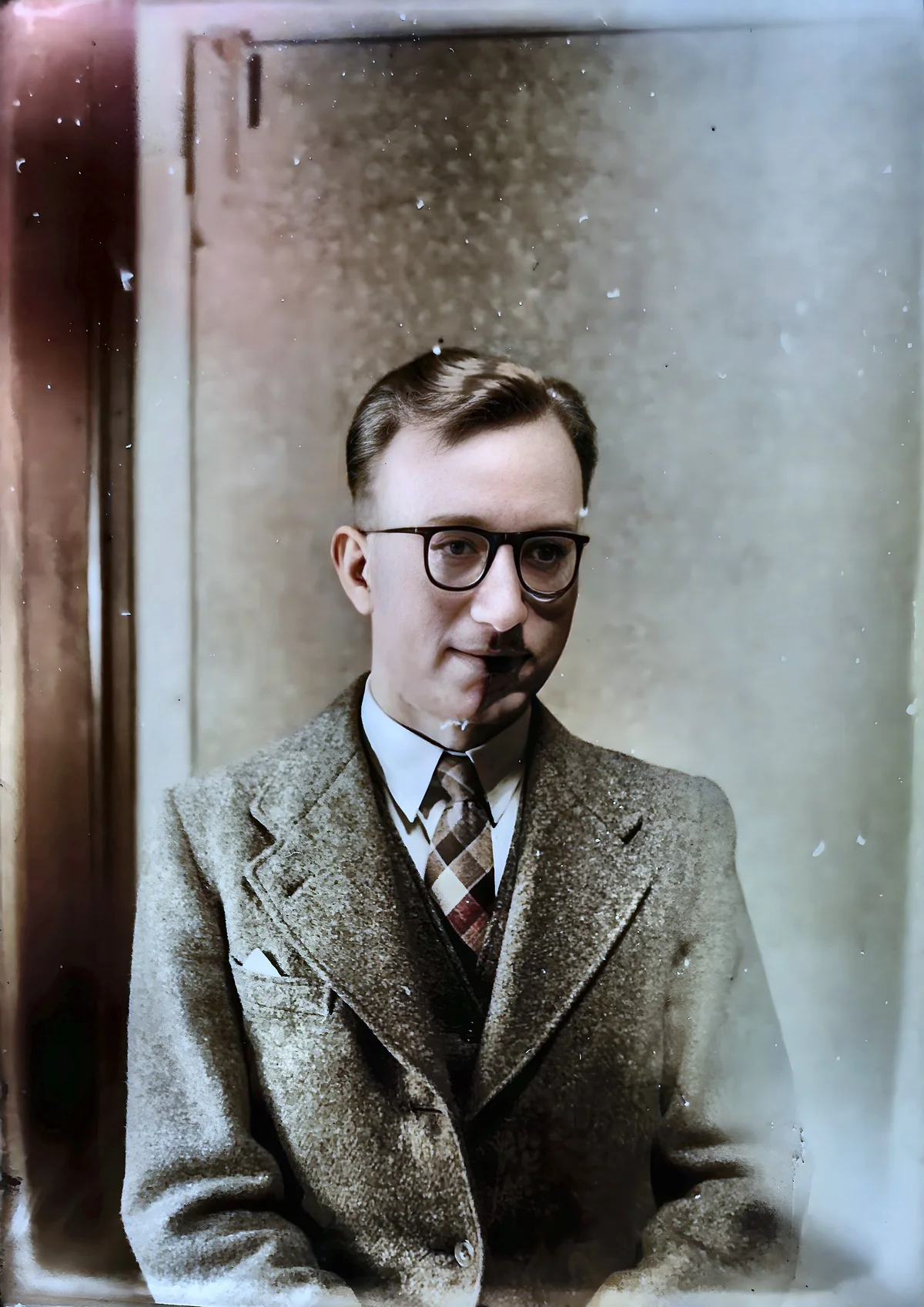
Enhancing Faces in Old Photos with AI Face Enhancement
Restore blurry and faded faces in old family photos with AI face enhancement. Learn how AI technology recovers clarity and detail in portraits and group shots.
Munib Ali Laghari
Founder & Lead Developer
Quick answer
How do you fix blurry faces in old photos?
AI face restoration detects every face in a photo and reconstructs fine detail in the eyes, skin, and features that was lost to age, low resolution, or compression. It preserves each person’s identity and works on portraits, group shots, and scanned prints, with output at 2x the original size.
Before

After
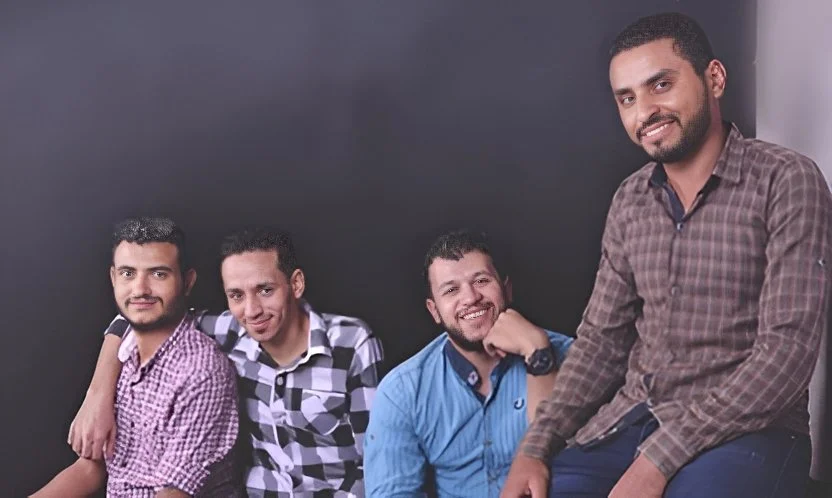
More examples like this: browse before & after results across every tool.
There's something magical about old family photographs. That faded wedding photo of your grandparents, the blurry childhood portrait from the 1970s, the group photo where every face is soft and indistinct — each one tells a story. But time and technology limitations haven't been kind to these memories.
The faces that meant so much are now barely visible, lost to fading, low resolution, and scanning limitations. What if you could bring them back? Not just clean them up, but genuinely sharpen and enhance the faces to reveal the detail that was always there?
AI face enhancement makes this possible. Specialized neural networks trained on millions of human faces can reconstruct detail that degraded over decades — turning barely recognizable shadows into clear, expressive portraits.
Why Faces in Old Photos Look Blurry
Faces in old photos look blurry because of several simultaneous degradation types: low-resolution scanning, film emulsion deterioration, JPEG recompression artifacts, and early digital camera limitations. Photographic prints begin to fade noticeably after 25–50 years without archival storage (Library of Congress), which means the emulsion that holds facial detail is actively deteriorating in most family photo collections.
Old photos present a specific challenge when it comes to facial detail. The problem isn't just one type of degradation — it's several happening simultaneously.
Low-resolution scanning is the most common culprit. Many older photos were digitized years ago at 72 DPI or 150 DPI to save storage space. That low-resolution scan captures the overall composition but loses the fine detail in faces — the subtle curve of a smile, the catchlights in eyes, the texture of skin. Faces that look fine at small sizes become soft and undefined when you zoom in.
Camera technology limitations affect photos from the 1980s, 1990s, and early 2000s. Early digital cameras had 1-2 megapixel sensors and used aggressive JPEG compression. A face photographed from even 10 feet away might occupy only a few hundred pixels. Any emotion, any character, any uniqueness gets lost in that tiny data budget.
Film degradation and print aging affect analogue photos. Photographic emulsion deteriorates over decades — first in the areas with the most chemical sensitivity, which often means the highlight regions of faces. Colors shift, contrast drops, and the facial features that were once crisp fade into muddy midtones.
JPEG recompression is the hidden destroyer of digital photos. Every time a JPEG is saved and resaved, compression artifacts multiply. That group photo from a family reunion that got emailed, forwarded, uploaded, and downloaded a dozen times has accumulated layers of compression damage — blocky artifacts that turn skin into harsh geometric patterns and blur the edges that define faces.
The result is the same: faces that are soft, indistinct, and lacking the clarity we need to truly connect with the people in them.
How AI Face Enhancement Works
AI face enhancement works by detecting every face in an image — regardless of degradation level — then reconstructing facial detail using deep learned understanding of human anatomy, including the 68 distinct landmark points that facial detection algorithms use to map eye positions, nose shape, lip contours, and facial geometry. This structural knowledge lets it recover authentic identity rather than inventing a generic face.
Standard sharpening filters make the problem worse. They detect edges and amplify them — which on a blurry face means amplifying blur artifacts, creating a crunchy, over-processed look that makes the face look worse. You can't sharpen detail that isn't there using simple mathematical filters.
AI face enhancement is fundamentally different. The neural network has been trained on millions of high-quality face images paired with deliberately degraded versions. Through this training, it learned what human faces should look like at the structural level — how eyes are shaped, how facial geometry works, how skin texture varies across different regions, how lighting falls on facial features. This deep understanding lets it reconstruct plausible facial detail rather than just amplifying what's there.
When you upload a photo, the AI first detects every face in the image regardless of how degraded they've become. It can identify faces even when they're significantly blurred or small within a larger composition. Each face is then processed individually — the AI analyzes the existing pixels, matches them against its learned understanding of facial structure, and intelligently fills in the detail that degradation erased.
Eyes regain sharpness and expression. The subtle definition of iris and pupil returns. Skin texture becomes natural rather than smooth and blurry — the AI reconstructs the gentle variation in tone that makes faces look real rather than the plastic smoothness that over-processed images often produce. The specific features that make each person recognizable — the shape of their nose, the curve of their smile, the set of their eyes — are clarified and sharpened while preserving their identity. The AI doesn't invent a generic face; it recovers the specific face that was always there.
Try AI face restoration free on one of your own old photos — upload it and see the faces come back in under a minute.
Real Results: Families Reconnected Through AI
Approximately 3.5 trillion photos exist digitally as of 2024 (Keypoint Intelligence estimate), yet the oldest physical prints — the ones most worth preserving, with irreplaceable family faces — deteriorate faster than any digital file. AI face enhancement is the fastest way to rescue these images before the emulsion deteriorates further.
A woman in her sixties had kept her mother's wedding album for forty years. The photos from 1962 had degraded severely — her mother's face, only 23 years old in those photos, had become a pale blur. Using AI face enhancement, her mother's face emerged from the blur. Eyes that had been indistinct became expressive. The smile that had faded into the general lightness of the print became clear. For the first time, her daughter could see her mother as a young woman rather than a faded ghost in a damaged photograph.
A genealogy researcher was building a family history spanning six generations. The oldest photos — daguerreotypes and early prints from the 1880s — had faces that were barely visible to modern scanners. AI enhancement brought them forward. Ancestors who had been abstract names on a family tree became real people with distinct faces, expressions, and character. The family history went from a document with blurry placeholders to a visual narrative with clear portraits of real individuals.
A school reunion committee was creating a history book for their 50th anniversary. They had photos from every decade since 1974, but the early ones — group shots from the 1970s and 1980s — had faces too soft and small to identify clearly. Running the old photos through AI face enhancement made every graduate in every photo identifiable. Classmates who hadn't seen each other in decades could find themselves and their friends in photos they hadn't been able to make out for years.
Who Benefits Most from AI Face Enhancement
Families preserving heritage: The most common and meaningful use case. Wedding photos, childhood portraits, holiday gatherings — any photo where the faces are the point. AI face enhancement makes these shareable, printable, and emotionally impactful rather than apologetically blurry.
Genealogy researchers: Building visual family histories requires identifiable faces. AI enhancement transforms scans of old prints from blurry artifacts into proper portraits that document real individuals across generations.
Professional photographers: Restoring damaged or low-quality photos on behalf of clients. A photographer who can rescue a damaged wedding photo or sharpen a scan of a great-grandparent's portrait provides a service that clients value highly and can rarely do themselves.
Memorial and tribute purposes: When preparing photos for funeral displays, memorial books, or tribute videos, the person being honored deserves to be seen clearly. AI enhancement ensures old photos are suitable for these important contexts regardless of their original quality.
Archival projects: Historical societies, local museums, and educational institutions often hold collections of photographs where the subjects' faces are central to their historical value. AI enhancement makes these archives more useful, shareable, and meaningful.
Getting the Best Results
Start with the highest-quality source file you can access — TIFF and PNG formats preserve all detail without compression. Since portrait photography accounts for approximately 35% of all photos taken globally, face enhancement is the single most impactful tool for improving photo archives, and results improve significantly when source files are scanned at 600 DPI or higher rather than from compressed copies shared via email or messaging apps. If you only have JPEGs, use the highest-quality version available — the one that has been saved and resaved the fewest times.
Face size matters critically. The AI needs enough pixels to work with — at least 300×300 pixels per face gives solid results, but larger is always better. If the faces in your photo are very small (as in large group shots where individuals are far from the camera), upscale the image first, then apply face enhancement. This gives the AI more source information to reconstruct from and produces dramatically better results. A face that's only 100 pixels wide will respond much better to enhancement after being upscaled to 400 pixels wide.
Scanning quality matters if you're starting from physical prints. Scan at 600 DPI minimum; 1200 DPI is better for small prints. Clean the print surface gently before scanning to remove dust that can look like image noise. Use a flatbed scanner with glass rather than a mobile scanning app for maximum detail capture.
Work on the original, not a copy. If you have multiple versions of the same photo, enhance from the one closest to the original scan or camera output — not one that's been shared, resized, or compressed through social media.
Crop your image to bring faces as large as possible before enhancing if the subjects are small in the frame. This concentrates the AI's processing on what matters most.
The Right Tool for the Right Problem
Face enhancement is specifically designed for blurriness and low resolution. It's the right tool when faces are soft, small, or lacking in detail due to image quality limitations.
However, if your photo has physical damage — tears, scratches, water stains, or missing regions — that's a different problem. Old Photo Restoration combines damage repair with face enhancement and color revival in a single pipeline specifically designed for physically damaged photographs. Use face enhancement for quality issues; use old photo restoration for physical damage.
If your faces are blurry specifically due to motion blur — the subjects were moving or the camera shook — AI deblurring may be a better first step before face enhancement. Clean the type of blur before reconstructing detail.
Technical Tips for Archival Quality
After enhancement, save in a lossless format. PNG is the archival standard — it preserves all detail without any compression loss and supports all bit depths. If file size matters and you accept minor quality tradeoffs, JPEG at 95–100% quality is acceptable for sharing but not for archival storage.
Create multiple versions of restored photos: keep the original scan unmodified as an archival master, maintain your enhanced version as a working file, and create optimized versions for specific uses (sharing, printing, web display). Never overwrite the original.
For portraits where you want both face enhancement and a background change, combine with the Background Removal tool. This is particularly useful for creating clean, professional headshots from cluttered originals — restore the face, remove the busy background, and you have a portrait suitable for any professional use.
Preserve Every Face in Your Family History
These aren't just old photos — they're your family's story. With AI face enhancement, you can finally see the people in those photos clearly, share them with pride, and preserve them for future generations.
The technology has reached the point where faces that seemed lost to time can be brought back with remarkable clarity. What required either expensive professional restoration services or hours of manual photo editing now happens in under 30 seconds.
Try AI face restoration free — upload your photo and see the transformation for yourself.
Found this helpful?
Share it with your network
Ready to try it yourself?
25 free credits to start, then 10 every month. No credit card. Process your first image in under 15 seconds.
Try Face Restoration freeMunib Ali Laghari
Founder & Lead Developer · EnhanceCraft
Munib Ali Laghari is the founder and lead developer of EnhanceCraft, an AI image toolkit. He writes about AI upscaling, photo restoration, and background removal. Connect on LinkedIn