EnhanceCraft vs Magnific AI: Faithful vs Generative Upscaling — Which Do You Need? (2026)
Magnific AI vs EnhanceCraft: creative AI upscaling versus a toolkit that chains enhancement into finished workflows. Which fits your workflow in 2026?
Munib Ali Laghari
Founder & Lead Developer
Quick answer
Is EnhanceCraft a good Magnific AI alternative?
Yes. For faithful upscaling that preserves the original image, EnhanceCraft is a lower-cost, browser-based Magnific AI alternative — it reconstructs real detail rather than reimagining the photo, and adds background removal, face restoration, and object removal. It includes 25 free credits to start, then 10 every month.
Prefer the quick side-by-side? See the at-a-glance feature table and verdict.
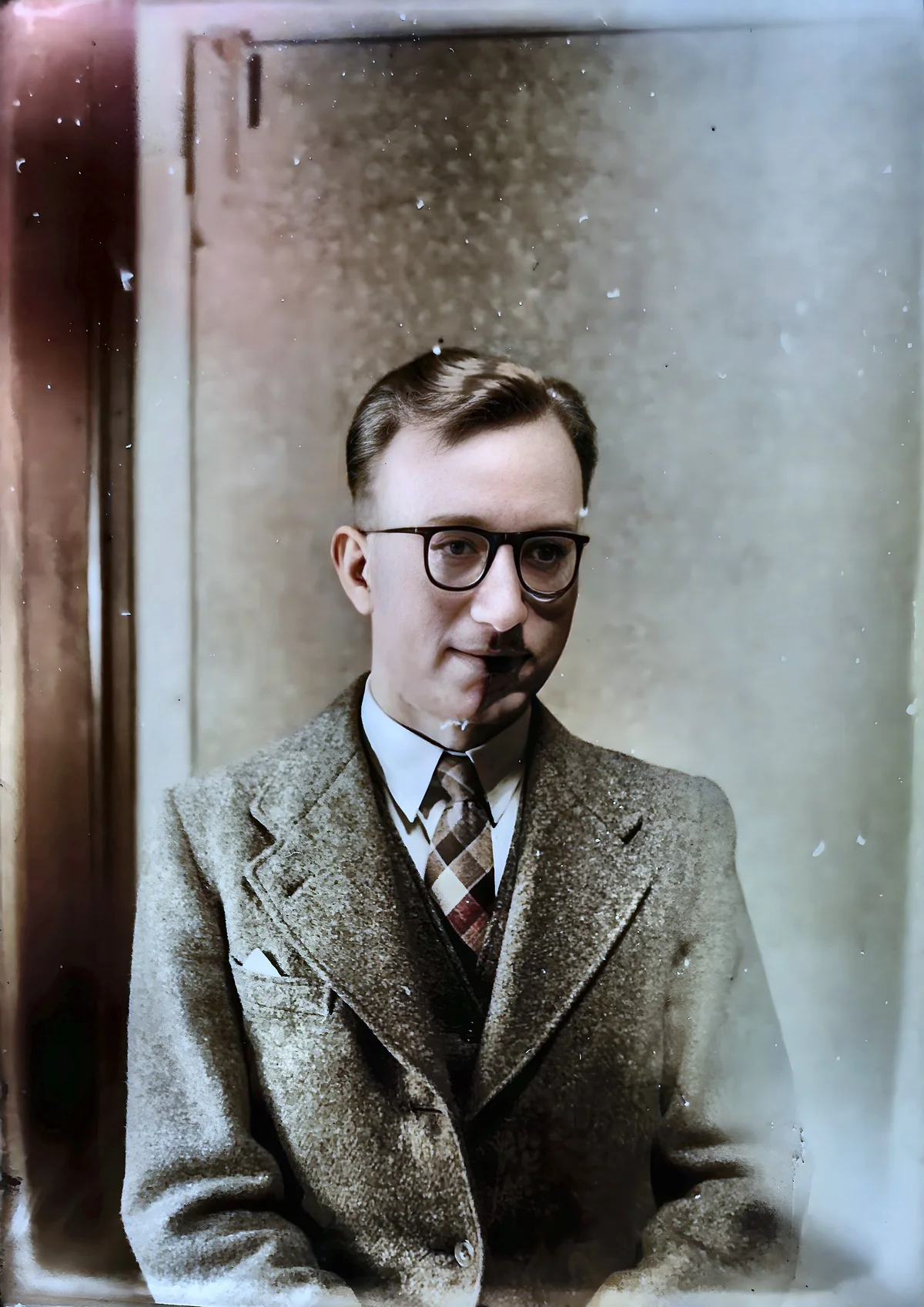
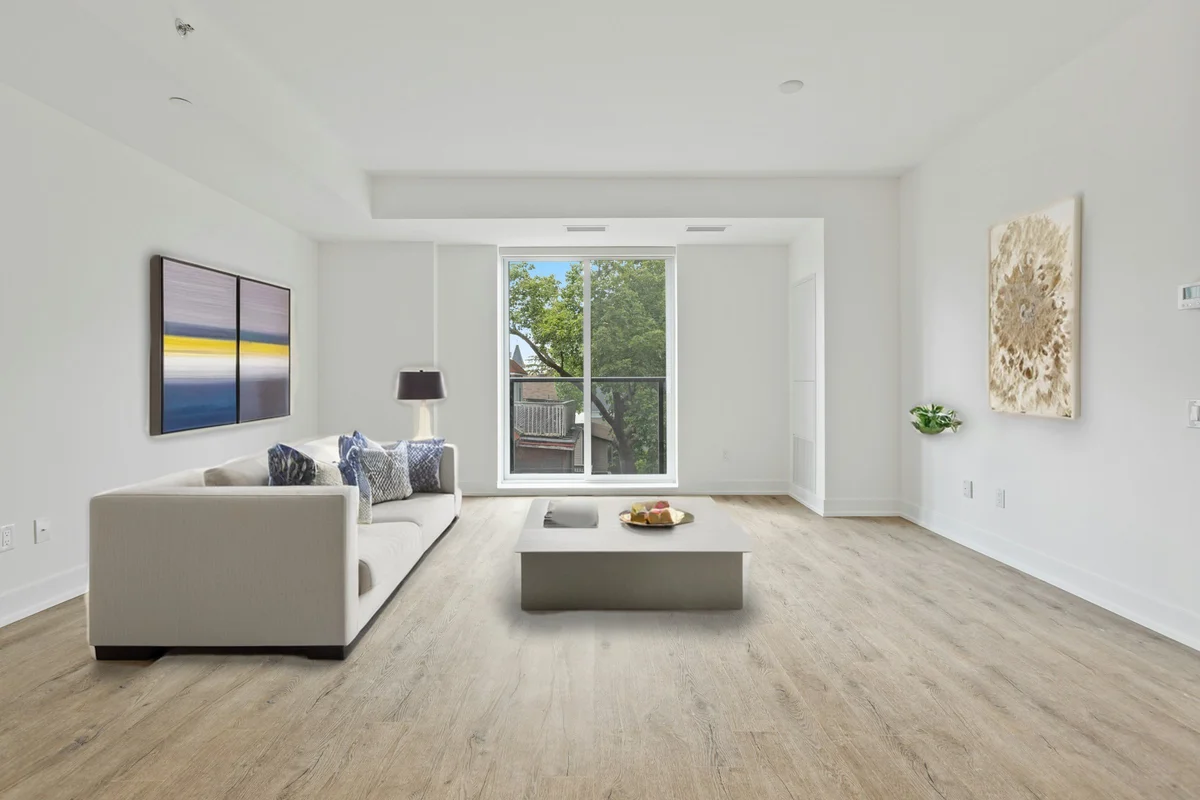
EnhanceCraft as a Magnific alternative →Before

After

More examples like this: browse before & after results across every tool.
Magnific AI has carved out a distinct space in the AI image market. It's popular with digital artists, illustrators, and AI art enthusiasts for one specific capability: creative upscaling that doesn't just enlarge images but adds texture, detail, and visual richness. It's a specialized tool for a specific kind of work.
EnhanceCraft approaches image enhancement from the opposite direction — it's a professional toolkit focused on delivering accurate, predictable results for photography, e-commerce, and marketing workflows.
This comparison will help you understand the difference and choose the right tool.
Bottom line: Magnific AI is the choice for creative AI art workflows where generated detail is a feature. EnhanceCraft is the choice for professional image workflows where accuracy, breadth, and pricing flexibility matter.
Feature Comparison at a Glance
| Feature | EnhanceCraft | Magnific AI |
|---|---|---|
| Image Upscaling | ✅ 2x / 4x / 8x | ✅ Up to 16x (creative) |
| Face Restoration | ✅ | ❌ |
| Background Removal | ✅ | ❌ |
| Background Replacement | ✅ | ❌ |
| Object Removal (Inpainting) | ✅ | ❌ |
| Text Removal | ✅ | ❌ |
| AI Denoising | ✅ | ❌ |
| Anime Upscaling | ✅ | ⚠️ Via style settings |
| Batch Processing | ✅ | ⚠️ Higher plans only |
| API Access | ✅ | ✅ Via Freepik |
| Ghost Mannequin & Product Pipeline | ✅ | ❌ |
| Real-Estate Workflow (virtual staging, sky replacement, day-to-dusk, window pull) | ✅ | ❌ |
| Creative Detail Generation | ❌ | ✅ |
| Credit Rollover | ⚠️ Up to 3x monthly (subscription) | ❌ |
| Free Tier | ✅ 25 credits to start, 10/month after | ❌ |
| Pay-as-You-Go | ✅ | ❌ |
What Is Magnific AI?
Magnific AI is a creative AI upscaling platform that uses AI to generate additional detail and texture when enlarging images. Rather than simply increasing resolution, it actively interprets the image and adds realistic-looking elements — skin texture, fabric detail, background complexity — that weren't present in the original. This makes it popular in the AI art community where creative enhancement is desirable. Magnific does not offer face restoration, background removal, batch processing, or standard enhancement tools.
What Is EnhanceCraft?
EnhanceCraft is an AI image toolkit with complete photo workflows for e-commerce sellers, real estate agents, and photographers — covering upscaling (2x, 4x, 8x), face restoration, background removal and replacement, AI inpainting for object and text removal, denoising, deblurring, anime upscaling, old photo restoration, smart crop, batch processing, and format conversion. For sellers it adds packaged e-commerce workflows — a one-click product photo pipeline, the ghost mannequin effect, product shadows and reflections, relighting, and color grading — plus a real-estate workflow with virtual staging, sky replacement, day-to-dusk, and window pull. It is built for reliable, high-quality results in professional photography, e-commerce, and marketing workflows, and every tool runs in batch — so a photographer can push a whole gallery through denoise, sharpen, upscale, and face restoration in one run.
The Core Difference: Creative vs Accurate
The fundamental choice between these tools is whether you want AI to generate new detail (Magnific) or recover and sharpen existing detail (EnhanceCraft). For real photographs where product accuracy matters — and since poor image quality is cited by 22% of consumers as a reason to distrust an online store (Salsify 2023) — invented detail that alters what a product actually looks like is a liability, not a feature.
This is the most important distinction between the two tools.
Magnific AI generates new detail during upscaling. Given a portrait, it may add texture to skin, enhance fabric grain, and create the appearance of sharpness that wasn't in the source. For AI-generated artwork and illustrations, this is often an improvement — the result looks more polished and rich. For real photographs of real subjects, the generated detail can introduce elements that weren't there, which is a problem when accuracy matters.
EnhanceCraft upscales images to recover and sharpen existing detail without inventing content. The result at 8x is the original image, larger and sharper. For product photography, portrait work, document scanning, and any professional context where fidelity to the original matters, this approach is the right one.
Winner: Magnific AI for creative AI art. EnhanceCraft for professional photography and product images where accuracy is required.
Face Restoration
EnhanceCraft has a dedicated face restoration tool that repairs blur, damage, and low quality in portrait photos and scanned images.
Magnific AI does not offer face restoration. Its upscaling engine may improve facial appearance as a side effect of creative detail generation, but this is not a controlled, targeted restoration process.
Winner: EnhanceCraft — Targeted face restoration is exclusive to EnhanceCraft.
Background Removal
EnhanceCraft includes one-click background removal and replacement with clean edge handling.
Magnific AI does not offer background removal.
Winner: EnhanceCraft — Not available in Magnific AI.
Object Removal and Text Removal
EnhanceCraft's AI inpainting tools remove objects, watermarks, and text from images by filling removed areas with matching surrounding content.
Magnific AI does not offer object removal or text removal.
Winner: EnhanceCraft — Not available in Magnific AI.
Batch Processing
EnhanceCraft supports batch processing for handling multiple images simultaneously — essential for high-volume workflows in e-commerce, photography, and agency work.
Magnific AI offers batch processing on its higher-tier subscription plans, but it is not available on the entry-level plan. If batch is a requirement, you would need to commit to a higher-cost tier.
Winner: EnhanceCraft — Batch processing available at lower plan tiers without a high-end subscription.
API Access
EnhanceCraft provides API access on Pro plans for developers who want to integrate image enhancement into their own applications or pipelines.
Magnific AI offers API access via Freepik's platform — the parent company that acquired Magnific. The API is available to developers through Freepik's API infrastructure. This adds a layer of complexity compared to a direct API.
Winner: EnhanceCraft — Direct API access without routing through a third-party platform.
Pricing: A Major Gap
Magnific AI requires a paid subscription with no free tier and no pay-as-you-go option — meaning you pay for a full month even if you only process a handful of images. (Magnific was acquired by Freepik, and its upscaling is now offered through Freepik's subscription plans rather than as a standalone product.) EnhanceCraft gives new users 25 free credits to start, then 10 every month with no subscription required, plus a pay-as-you-go option for variable-volume users. Batch processing 50 images with AI takes under 10 minutes on either platform, but the cost difference for occasional users is dramatic.
Magnific is now part of Freepik, and its upscaling is bundled into Freepik's subscription plans rather than sold standalone. There is no free tier for the classic upscaler and no pay-as-you-go option — you commit to a subscription to use it, and unused tokens do not roll over between billing periods.
EnhanceCraft gives new users 25 free credits to start, then 10 every month with no subscription required. It also offers a pay-as-you-go option for users who process images intermittently, and monthly or annual subscriptions with a 22% discount on annual plans. Subscription credits roll over up to 3x the monthly allocation; PAYG credits never expire.
The pricing gap is significant for users who aren't committed AI art creators. EnhanceCraft is accessible without any upfront cost or subscription commitment.
Visit EnhanceCraft pricing for current rates.
Winner: EnhanceCraft — Far more affordable with a free tier and pay-as-you-go option.
Magnific AI: Pros and Cons
Pros: - Creative detail generation — adds texture and life to AI art and digital illustrations - High maximum resolution — supports upscaling with creative enhancement up to 16x - Strong community among AI artists and digital creatives - Style and creativity controls for adjusting the degree of interpretation
Cons: - Subscription only — no free tier or pay-as-you-go option, now billed through Freepik - No background removal, face restoration, or object removal - Not suitable for real photographs where accuracy and fidelity matter - Batch processing only on higher-tier plans — not available at entry price point - API access requires routing through Freepik — not a direct standalone API
EnhanceCraft: Pros and Cons
Pros: - Complete professional toolkit — upscaling, face restoration, background removal, and object removal in one platform - Accurate upscaling that preserves original detail without creative invention - Dedicated anime upscaling mode with style-appropriate processing - Packaged e-commerce workflows — product pipeline, ghost mannequin, and shadow/reflection generation for marketplace-ready product photos - Highly affordable — 25 free credits to start, then 10 every month, PAYG, and subscription from a lower price point - Credit rollover — unused credits carry forward - Batch processing and API access included
Cons: - No creative detail generation — if AI-invented texture is what you want, EnhanceCraft is not the right tool - 8x upscaling ceiling vs Magnific's higher creative scale
Who Should Use Magnific AI?
- ●AI artists and digital illustrators who want upscaling that adds creative texture and detail
- ●Game designers and concept artists working with rendered or illustrated content where creative enhancement adds value
- ●Users whose primary output is digital art or AI-generated imagery where creative interpretation is welcome, not a problem
Who Should Use EnhanceCraft?
- ●Photographers who need upscaling that preserves — not invents — detail
- ●E-commerce teams who need background removal, upscaling, and object removal in one workflow
- ●Users on any budget who want to start free and pay only for what they use
- ●Anyone who needs face restoration, background removal, or object removal — none of which Magnific provides
- ●Users who need batch processing without a premium subscription or a direct API without routing through a third-party platform
- ●Professionals who need predictable, accurate results rather than creative interpretation
Frequently Asked Questions
Is Magnific AI worth it? Magnific AI is worth it specifically for AI artists and creative professionals who need creative detail enhancement for digital artwork. For photography, e-commerce, or professional workflows where accuracy is important, EnhanceCraft offers far more tools at a fraction of the price.
Is EnhanceCraft a Magnific AI alternative? Yes, for professional image workflows. EnhanceCraft covers upscaling, face restoration, background removal, and object removal at a much lower price point — with 25 free credits to start, then 10 every month and a pay-as-you-go option. Note that EnhanceCraft does not offer Magnific's creative detail generation — they are designed for different use cases.
Does Magnific AI work for product photography? Magnific AI can be used on product photos, but its creative interpretation may add texture or detail that alters the accurate appearance of the product — which can be a problem for e-commerce listings. For product photography, EnhanceCraft's accurate upscaling and background removal are better suited.
What is a cheaper alternative to Magnific AI? EnhanceCraft gives new users 25 free credits to start, then 10 every month with no subscription required, plus a pay-as-you-go option. It covers upscaling, face restoration, background removal, and object removal. Magnific, now part of Freepik, is subscription-only with no free option.
Verdict
Magnific AI is genuinely excellent at creative AI art enhancement. For artists working in the AI image generation space who want to add realistic texture and detail to their creations, it's a well-designed specialist tool.
For professional image workflows — photography, product images, marketing — EnhanceCraft is the clear choice. It handles everything Magnific doesn't (face restoration, background removal, object removal, batch processing, API access) at a fraction of the price, plus packaged vertical workflows — product pipeline, ghost mannequin, and shadow/reflection for sellers; virtual staging, sky replacement, and day-to-dusk for real estate agents; batch gallery processing for photographers — with 25 free credits to start, then 10 every month, and no subscription required. Magnific sells a creative operation; EnhanceCraft ships the finished job. Pick Magnific to reimagine and embellish AI art; pick EnhanceCraft to accurately enhance and finish real photographs.
Found this helpful?
Share it with your network
Ready to try it yourself?
25 free credits to start, then 10 every month. No credit card. Process your first image in under 15 seconds.
Try EnhanceCraft freeMunib Ali Laghari
Founder & Lead Developer · EnhanceCraft
Munib Ali Laghari is the founder and lead developer of EnhanceCraft, an AI image toolkit. He writes about AI upscaling, photo restoration, and background removal. Connect on LinkedIn