EnhanceCraft vs LetsEnhance: Best Upscaler for Batch & High-Volume Work (2026)
LetsEnhance vs EnhanceCraft: compare features, pricing, and which wins. See how the two AI image platforms stack up for upscaling, editing, and value in 2026.
Munib Ali Laghari
Founder & Lead Developer
Quick answer
Is EnhanceCraft a good LetsEnhance alternative?
Yes. EnhanceCraft matches LetsEnhance’s AI upscaling up to 8x and adds face restoration, background removal and replacement, object removal, and packaged e-commerce and real-estate workflows in one platform. You get 25 free credits to start, then 10 every month, and pay-as-you-go credits never expire.
Prefer the quick side-by-side? See the at-a-glance feature table and verdict.
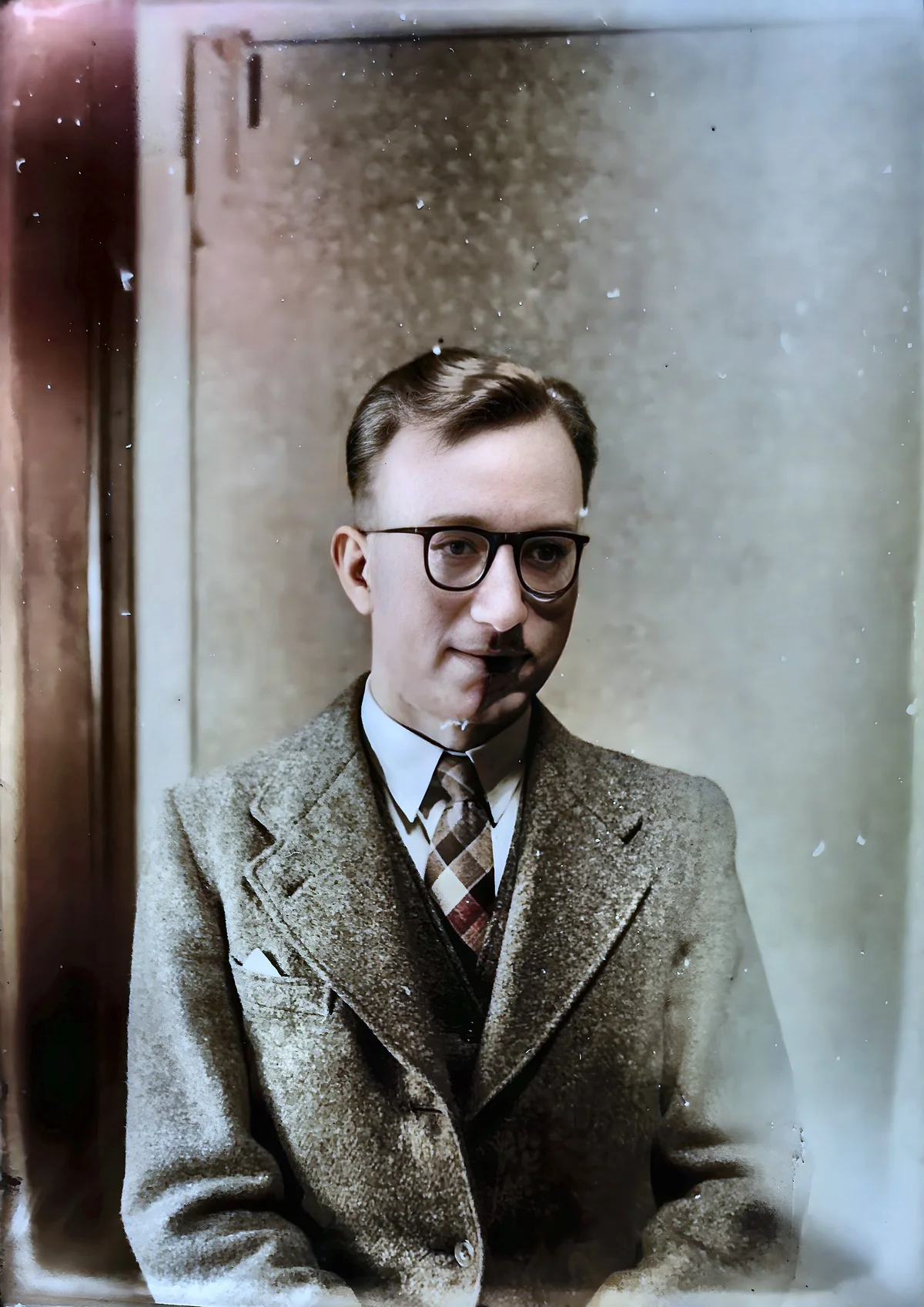
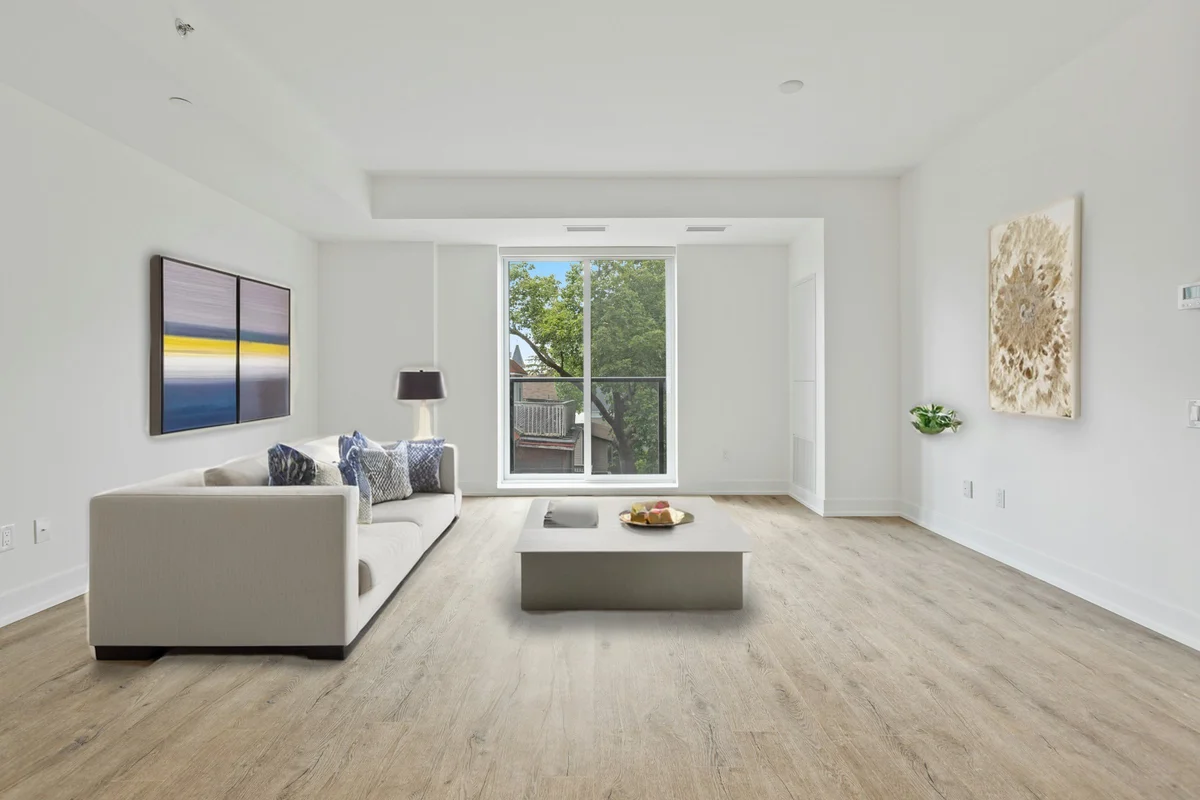
EnhanceCraft vs Let’s Enhance →Before

After

More examples like this: browse before & after results across every tool.
LetsEnhance has built a strong reputation as a go-to platform for upscaling images to print quality. Its AI models are optimized by content type, its brand is well-established, and its quality for photographic upscaling is genuinely excellent. But if your workflow extends beyond upscaling — or if a subscription-only plan feels steep — EnhanceCraft is worth a close look.
This comparison covers features, pricing, and the honest trade-offs between a specialized upscaling platform and a full AI image toolkit.
Bottom line: LetsEnhance wins on pure upscaling scale (up to 16x) and quality for print. EnhanceCraft wins on feature breadth and workflow completeness — background replacement, object and text removal (AI inpainting), anime upscaling, e-commerce and real-estate workflows, PAYG credits that never expire, and zero-credit editing tools.
Feature Comparison at a Glance
| Feature | EnhanceCraft | LetsEnhance |
|---|---|---|
| Image Upscaling | ✅ 2x / 4x / 8x | ✅ Up to 16x |
| Face Restoration | ✅ | ✅ |
| Background Removal | ✅ | ✅ |
| Background Replacement | ✅ | ❌ |
| Object Removal (Inpainting) | ✅ | ❌ |
| Text Removal | ✅ | ❌ |
| AI Denoising | ✅ | ✅ |
| AI Deblurring | ✅ | ✅ |
| Old Photo Restoration | ✅ | ✅ |
| Anime Upscaling | ✅ | ❌ |
| Batch Processing | ✅ | ✅ (higher plans) |
| API Access | ✅ | ✅ |
| Ghost Mannequin & Product Pipeline | ✅ | ❌ |
| Reflection & Shadow Generator | ✅ | ❌ |
| Real-Estate Workflow (virtual staging, sky replacement, day-to-dusk, window pull) | ✅ | ❌ |
| Credit Rollover | ⚠️ Up to 3x monthly (subscription) | ⚠️ Up to 6x monthly |
| Free Tier | ✅ 25 credits to start, 10/month after | ✅ 10 credits (one-time) |
| Pay-as-You-Go | ✅ | ✅ Credit bundles |
| Free Editing Tools (no credit cost) | ✅ | ❌ |
What Is LetsEnhance?
LetsEnhance is a browser-based AI upscaling platform recognized for producing professional-grade results for print and product photography — its category-specific models and 16x maximum scale make it the go-to for designers and photographers preparing images for large-format print output.
LetsEnhance is a browser-based AI upscaling platform recognized for producing professional-grade results for print and product photography. Its AI models are category-specific — optimized separately for photos, products, AI art, portraits, and illustrations — and it supports upscaling up to 16x. LetsEnhance has become a trusted name for designers, photographers, and print professionals who need the highest possible output for large-format printing.
What Is EnhanceCraft?
EnhanceCraft is an AI image toolkit with complete photo workflows for e-commerce sellers, real estate agents, and photographers — covering the full image processing pipeline: upscaling (2x, 4x, 8x), face restoration, background removal and replacement, AI inpainting for object and text removal, denoising, deblurring, anime upscaling, old photo restoration, smart crop, batch processing, and format conversion. It also bundles ready-made e-commerce workflows — a one-click product photo pipeline, the ghost mannequin effect, product shadows and reflections, relighting, and color grading — plus a real-estate toolkit (edit pack, window pull, perspective correction, and dehazing) — all from a single web interface with flexible pricing.
Upscaling: Quality Ceiling vs Workflow Depth
LetsEnhance leads on maximum scale (16x) and category-specific model variants, while EnhanceCraft's 8x upscaling covers the vast majority of real-world needs — from web images to standard print sizes — and adds the complete downstream workflow that LetsEnhance lacks. AI upscaling can increase effective resolution by 4x while maintaining perceived sharpness, and batch processing 50 images takes under 10 minutes on either platform.
LetsEnhance's primary strength is upscaling quality and maximum scale. At 16x, it can take a modest-resolution image and produce a file suitable for very large-format print. Its category-specific models — choosing "Portrait" for headshots vs "Product" for e-commerce — add an extra level of optimization that a general-purpose upscaler doesn't provide.
EnhanceCraft's upscaling tops out at 8x, which is more than sufficient for the vast majority of real-world use cases: making web images print-ready, preparing product photos for Shopify or Amazon, recovering detail from compressed images. The 8x ceiling rarely presents a practical limitation unless you are specifically producing content for very large-format print from very low-resolution sources.
If 16x upscaling for billboard or A0 print is your primary use case, LetsEnhance has an edge. For everything else, 8x is more than adequate — and EnhanceCraft adds every tool you need after the upscale.
Winner: LetsEnhance for maximum scale and print production. EnhanceCraft for workflows where 8x is sufficient and additional tools are needed.
Face Restoration
EnhanceCraft includes a dedicated AI face restoration tool that repairs blur, damage, and low quality in portrait photos and old scanned images. It handles everything from enhancing faces in vacation photos to restoring scanned portraits from decades past.
LetsEnhance also offers face enhancement. Both handle portrait restoration well; the practical difference is that EnhanceCraft runs it as one step in a broader workflow — restore the face, then upscale, remove the background, or replace it — without switching tools.
Winner: Tie on capability. EnhanceCraft for keeping it inside a complete workflow.
Background Removal
Both platforms offer background removal. EnhanceCraft includes one-click background removal and background replacement, handling complex edges including hair, fur, and fine details.
LetsEnhance added background removal as a feature, available at 2 credits per image — so it covers the basic use case. However, LetsEnhance does not offer background replacement with a custom image.
Winner: EnhanceCraft — Both remove backgrounds, but EnhanceCraft also handles background replacement and keeps the operation inside the same workflow alongside upscaling and face restoration.
Object Removal, Text Removal, and Inpainting
EnhanceCraft's AI inpainting tools remove objects, watermarks, and text by intelligently filling the removed area with matching surrounding content — eliminating the need to use separate tools for each step. Manual removal of a single watermark in Photoshop can take 20–60 minutes; AI inpainting handles the same task in seconds.
LetsEnhance does not offer object removal, text removal, or AI inpainting.
Winner: EnhanceCraft — These tools are not available in LetsEnhance.
Anime Upscaling
EnhanceCraft includes a specialized model for anime, manga, and illustration upscaling — preserving sharp lines, vibrant flat colors, and cel-shading rather than applying photographic processing to artistic content.
LetsEnhance does not offer an anime-specific upscaling mode.
Winner: EnhanceCraft — Anime upscaling is exclusive to EnhanceCraft.
Vertical Workflows: E-commerce, Real Estate, and Photography
Beyond individual tools, EnhanceCraft packages multi-step jobs into one-click workflows. The product photo pipeline removes the background, upscales 4x, enhances, and exports in Amazon or Shopify format in a single run; the ghost mannequin tool creates the invisible-mannequin look for apparel; and the shadow and reflection generator grounds floating cut-outs for a studio finish. For property photography, EnhanceCraft covers the complete listing workflow — virtual staging that furnishes empty rooms (with a "Virtually Staged" compliance label), sky replacement, day-to-dusk twilight conversion, window pull, perspective correction, and a one-click edit pack. Photographers get the same batch system for a whole gallery — denoise, deblur, upscale for print, and restore faces across a full shoot in one run.
LetsEnhance focuses on upscaling quality and does not bundle these e-commerce or real-estate workflows.
Winner: EnhanceCraft — Packaged vertical workflows are exclusive to EnhanceCraft.
Batch Processing
Both platforms support batch processing. LetsEnhance makes batch available on its business plans. EnhanceCraft includes batch processing across paid plans without requiring an enterprise tier.
Winner: EnhanceCraft — Batch processing accessible at lower plan tiers.
Pricing Comparison
Both tools offer pay-as-you-go. LetsEnhance sells PAYG credit bundles that never expire — so sporadic users are not forced into a subscription — alongside monthly and annual subscription plans scaled by credit volume. LetsEnhance's free plan includes 10 credits, and subscription credits roll over up to 6× your monthly allowance.
EnhanceCraft's free plan includes 25 credits to start, then 10 every month — not a one-time signup bonus, but a recurring monthly allocation. It also offers pay-as-you-go credits and monthly or annual subscriptions with a 22% annual discount. Subscription credits (Starter/Pro) roll over up to 3x the monthly allocation. PAYG credits never expire.
The key remaining differences: EnhanceCraft includes zero-credit editing tools (crop, resize, compress, convert) that use no credits at all, and its free plan provides a recurring monthly allowance rather than LetsEnhance's one-time 10-credit signup grant.
Visit EnhanceCraft pricing for current rates.
Winner: LetsEnhance on subscription rollover (6x cap vs EnhanceCraft's 3x). Winner: EnhanceCraft on zero-credit editing tools, feature breadth, and PAYG credits that never expire.
LetsEnhance: Pros and Cons
Pros: - Best-in-class upscaling quality for print and product photography - Up to 16x upscaling — the highest ceiling among mainstream web tools - Category-specific AI models (portrait, product, AI art, illustration) for optimized results - Strong brand recognition and extensive user reviews (4.1/5 on G2) - Good API documentation for developer integration
Cons: - No e-commerce or real-estate workflow bundles (ghost mannequin, product pipelines, real-estate packs) - No background replacement — background removal is available but custom replacement is not - No object removal or text removal - No anime upscaling mode - Credit rollover capped at 6× monthly allowance — accumulated credits stop building after that - No zero-credit editing tools — all operations consume credits, including basic edits
EnhanceCraft: Pros and Cons
Pros: - Complete toolkit — upscaling, face restoration, background removal, object removal in one platform - 8x upscaling with dedicated anime mode - AI inpainting for object and text removal (not available in LetsEnhance) - Pay-as-you-go credits — available alongside subscription plans - PAYG credits never expire — bought credits stay in your account indefinitely - Zero-credit editing tools — crop, resize, compress, convert are always free
Cons: - 8x maximum upscaling (vs LetsEnhance's 16x) - No category-specific upscaling model variants
Who Should Use LetsEnhance?
- ●Photographers and designers who need maximum upscaling quality for large-format print (A1, A0, billboard)
- ●Users for whom 16x upscaling is a genuine requirement, not just a nice-to-have
- ●Teams with consistent monthly image volume who can take advantage of subscription rollover
- ●Users who prioritize maximum upscaling quality for large-format print — 16x output and category-specific models are LetsEnhance's core strength
Who Should Use EnhanceCraft?
- ●Anyone who needs face restoration, background removal, or object removal alongside upscaling
- ●E-commerce sellers who want the complete image workflow in a single platform
- ●Users who buy PAYG credits that truly never expire, with no subscription required
- ●Anime and illustration fans who need style-appropriate upscaling
- ●Developers who want API access at an accessible price point
Frequently Asked Questions
Is LetsEnhance free? LetsEnhance offers a free plan with 10 image credits. Free plan results include a watermark. Paid access is subscription-based, and LetsEnhance also offers pay-as-you-go credit bundles that never expire.
Is EnhanceCraft a LetsEnhance alternative? Yes. EnhanceCraft covers LetsEnhance's core upscaling up to 8x and restoration, and adds background replacement, object and text removal (AI inpainting), and anime upscaling. Both offer pay-as-you-go options. LetsEnhance has higher subscription credit rollover (6x vs EnhanceCraft's 3x), but EnhanceCraft's PAYG credits never expire and it includes zero-credit editing tools.
Does LetsEnhance remove backgrounds? Yes, LetsEnhance offers background removal at 2 credits per image. However, it does not support replacing the background with a custom image. EnhanceCraft handles both background removal and background replacement natively alongside upscaling and face restoration.
Which tool is better for e-commerce product photos? For e-commerce workflows that include background removal, background replacement, upscaling, and object cleanup, EnhanceCraft handles the complete pipeline in one platform with ready-made product workflows. LetsEnhance produces excellent upscale quality and includes background removal, but does not offer background replacement or object cleanup.
Which tool is better for real estate photos? LetsEnhance offers strong one-click enhancement presets that work well on listing photos. EnhanceCraft goes further with a packaged real-estate workflow — virtual staging with a "Virtually Staged" compliance label, sky replacement, day-to-dusk conversion, window pull, perspective correction, and a one-click edit pack — all batchable across a whole property shoot. LetsEnhance does not bundle staging, twilight conversion, or window pull.
Verdict
LetsEnhance earns its reputation for pure upscaling quality — particularly for print production at 12x or 16x. If your entire workflow is "upscale this image to the highest possible quality for large-format output," LetsEnhance is a strong choice.
For everyone else — e-commerce teams who need background replacement and object removal, photographers who want a complete pipeline, marketers who process irregular volumes — EnhanceCraft is the more complete and cost-effective solution. You get 8x upscaling plus face restoration, background replacement, object removal, packaged e-commerce workflows (product pipeline, ghost mannequin, shadow/reflection) and a real-estate workflow (virtual staging, sky replacement, day-to-dusk, window pull), a pay-as-you-go pricing option, and credit rollover. The positioning difference is the real story: LetsEnhance sells a best-in-class operation; EnhanceCraft ships the finished job — marketplace-ready listings for sellers, MLS-ready shoots for agents, print-ready galleries for photographers — batched in one browser tab. If your only job is squeezing the absolute maximum print resolution out of one image, choose LetsEnhance; if you need to finish the whole image, choose EnhanceCraft.
Ready to try a complete image enhancement workflow? Try free AI image upscaling, AI background removal, or AI face restoration — 25 free credits, no credit card required.
Found this helpful?
Share it with your network
Ready to try it yourself?
25 free credits to start, then 10 every month. No credit card. Process your first image in under 15 seconds.
Try EnhanceCraft freeMunib Ali Laghari
Founder & Lead Developer · EnhanceCraft
Munib Ali Laghari is the founder and lead developer of EnhanceCraft, an AI image toolkit. He writes about AI upscaling, photo restoration, and background removal. Connect on LinkedIn