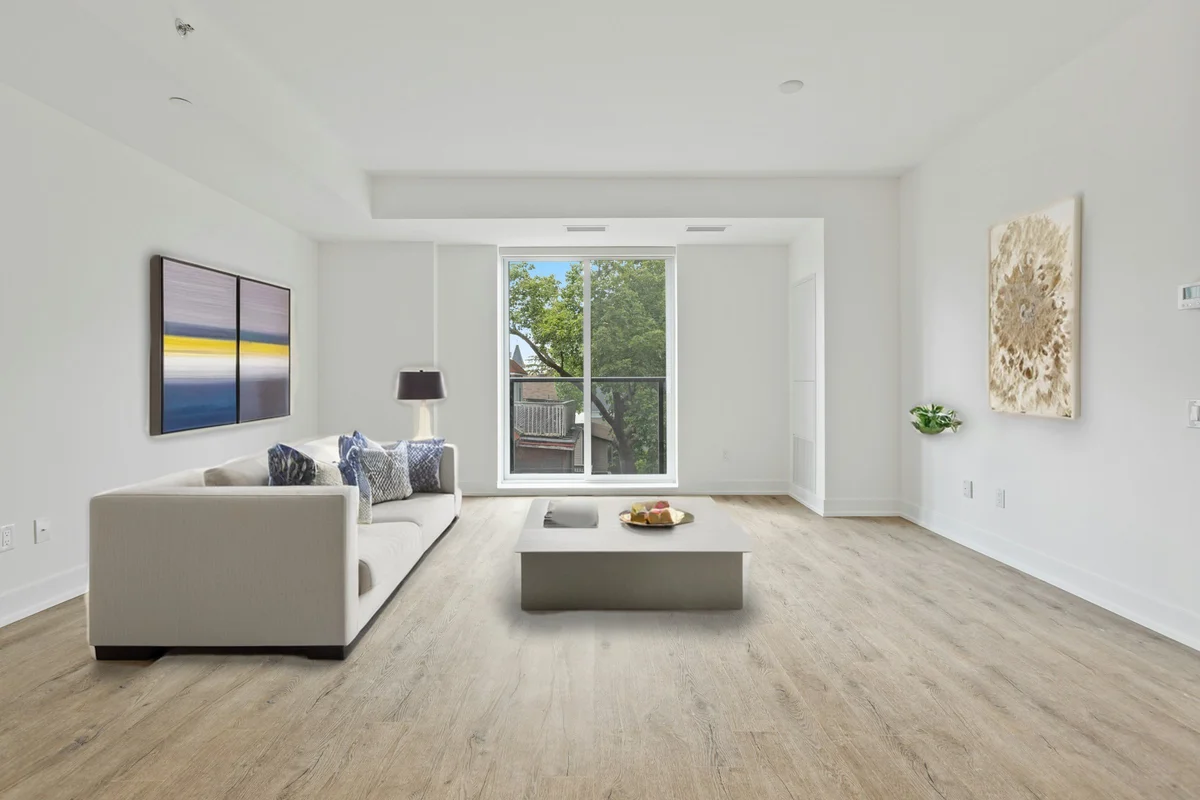
Window Pull: Recover the View Through Blown-Out Windows in 2026
Interior shots always blow out the windows to pure white. Learn how a window pull recovers the exterior view — the traditional way and with AI in 2026.
Munib Ali Laghari
Founder & Lead Developer
Quick answer
How do you fix blown-out windows in a real estate photo?
A single interior exposure clips the windows to pure white because the outdoors is far brighter than the room. Recover the view by blending exposures (a flambient or HDR bracket) or, in one step, with AI: EnhanceCraft’s Window Pull detects the blown-out glass and synthesises a realistic garden, city, or sky view through it.
Before
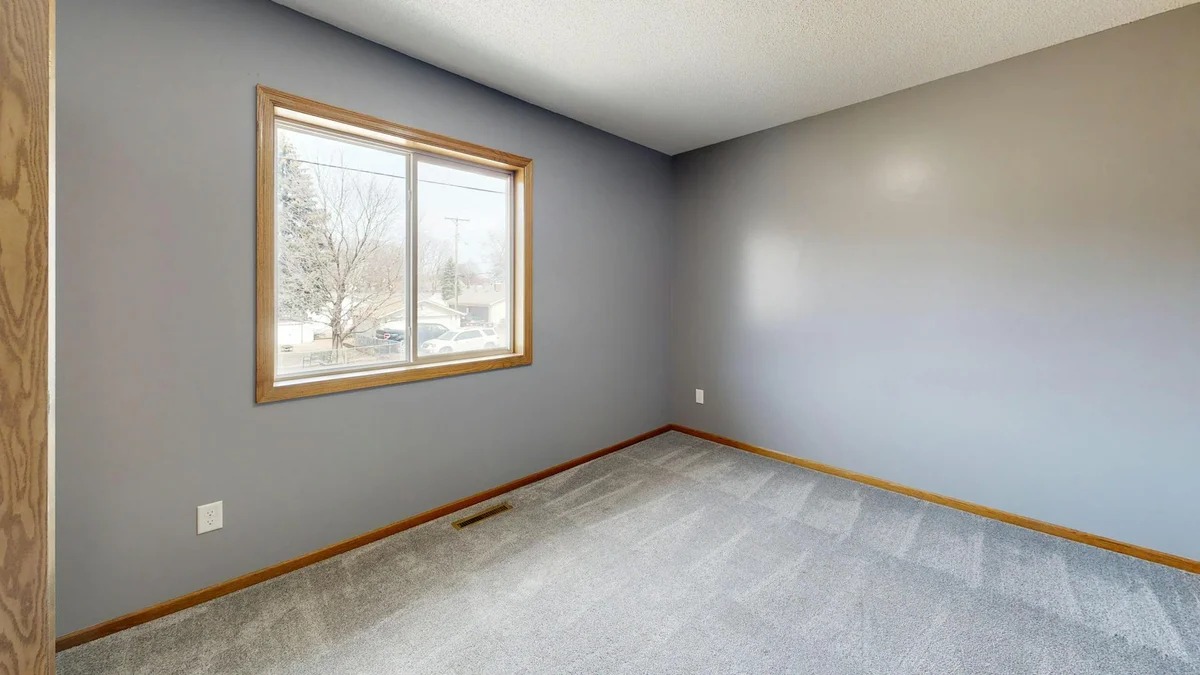
After
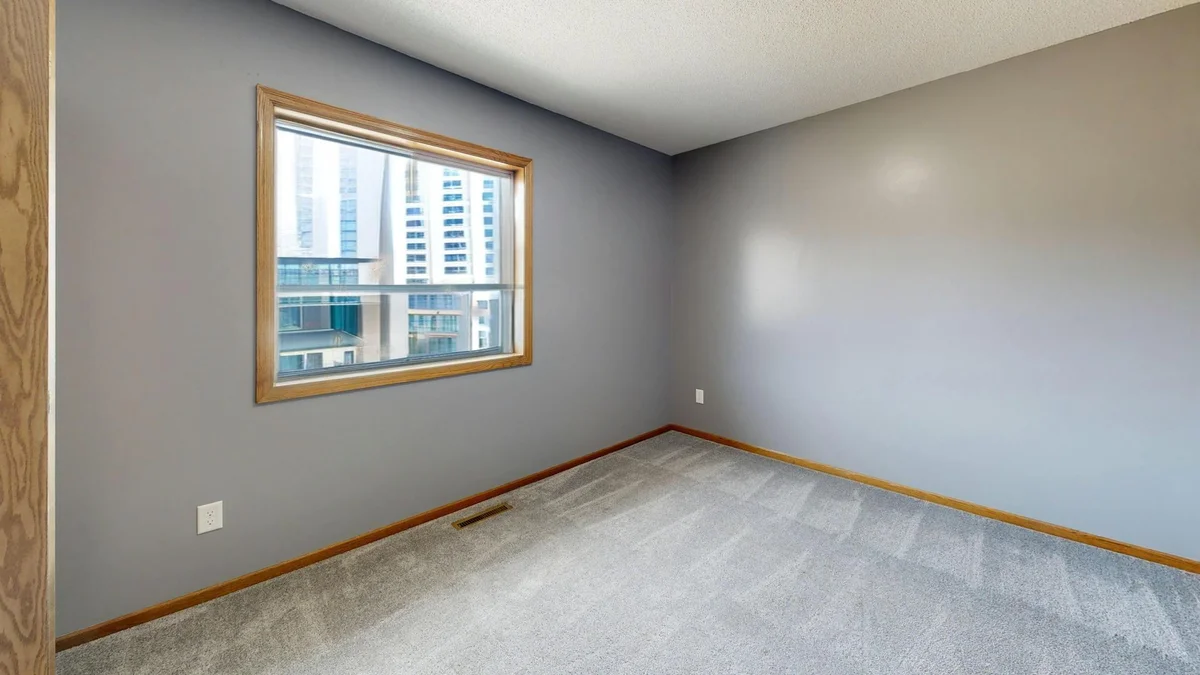
More examples like this: browse before & after results across every tool.
You shot the living room and it looks great — warm, bright, inviting — except for the windows. Where the garden should be, there's a rectangle of pure white. The camera exposed for the room and the view outside simply vanished. It's the single most common flaw in interior real estate photography, and buyers register it instantly: a blown-out window makes a room feel closed-in and the photo feel amateur.
The fix has a name — a "window pull" — and this guide covers all of it: what a window pull is, why interior shots always clip the windows, how photographers have traditionally recovered the view, how to do it in one step with AI, and the one 2026 disclosure rule you need to know before you publish a generated view on a listing.
What Is a Window Pull?
A window pull is the real estate photography technique of recovering the exterior view through a window that a single exposure has blown out to pure white — so the room shows the garden, street, or sky beyond the glass instead of a featureless white rectangle. Traditionally it means blending two or more exposures; in 2026 it can be done automatically from one photo.
The term comes from the compositing step: photographers "pull" a correctly-exposed version of the window into the final image, masking it over the blown-out original. The goal is a photo that looks the way the room felt to stand in — a bright interior and a visible view at the same time — which a single press of the shutter almost never captures.
Why Interior Photos Always Blow Out the Windows
Windows blow out because the world outside is far brighter than the room inside, and no camera sensor can capture both extremes in a single frame. Expose for the room and the window clips to white; expose for the window and the room goes black. The distance between the brightest and darkest tones a scene contains is its dynamic range, and a sunlit view through an interior window routinely exceeds what one exposure can hold.
The gap is larger than it looks. A bright outdoor scene can be many times brighter than a lamp-lit interior — a difference of several stops of light. Your eye handles it effortlessly because it adapts locally, brightening the shadows and taming the highlights as it moves around the room. A camera can't. It picks one exposure for the whole frame, and if that exposure renders the sofa and the walls correctly, the window is already several stops above the sensor's ceiling. Everything past that ceiling records as the same value: pure white, with no detail behind it. That is why you can't "fix" a blown-out window by pulling down the highlights in an editor — there is nothing there to pull down. The information was never captured in the first place.
The Traditional Window Pull: Flambient and HDR
Before AI, the only way to get the room and the view in one photo was to shoot multiple exposures and blend them. Two methods dominate real estate work — flambient and HDR bracketing — and both recover the actual view, at the cost of a tripod, several frames, and careful masking in an editor.
- ●Flambient (flash + ambient) — you shoot one ambient frame lit by the room's own light, then one or more flash frames that light the interior evenly. The interior comes from the flash frames; the window view comes from the darker ambient frame, where the glass was correctly exposed. You blend them and mask the window in.
- ●HDR bracketing — you shoot a bracketed sequence (say, three to seven frames from dark to bright), then merge or hand-blend them. The darkest bracket holds the window detail, and you composite that region back over the brighter base exposure.
Both work, and when the view is a genuine selling point they are still the right call, because they show what is really outside. But they are slow and skill-dependent. Every frame has to align, so the camera has to be locked on a tripod. The window has to be masked by hand — often around blinds, mullions, and reflections — for every shot in the set. On a full property shoot, the window pull is frequently the step that eats the evening.
How to Do a Window Pull With AI
AI collapses the whole bracket-and-mask workflow into a single upload. Instead of shooting extra frames, you give the AI one interior photo; it detects the blown-out window region automatically and synthesises a realistic exterior view through the glass. With EnhanceCraft's window pull tool, the process is four steps:
- 1.Upload the interior photo. Upload the original, unedited interior shot as a JPEG, PNG, or WebP up to 50 MB. A clean original — not one already heavily HDR-processed — gives the AI the best chance of detecting the blown-out window region accurately.
- 2.Pick the exterior view. Choose the view that matches the property — garden for suburban homes, city for apartments, sky for modern interiors — or use Custom to describe any view. Match it to what is genuinely outside so the result stays representative.
- 3.Set the detection sensitivity. Start at 0.7. Lower it if bright non-window areas like lamps or white walls are being altered; raise it to also catch partially overexposed windows. The slider controls exactly which bright regions get a new view.
- 4.Download the recovered photo. Download the interior with a natural view restored through the windows and the room still evenly lit. Window Pull costs 3 credits per image, or 2 free images a day with no account, and runs on a whole property set in batch mode.
The trade-off is important, and it leads straight to the one rule you can't skip.
Actual View vs Synthesised View: The Honesty Rule
Here is the honest distinction: a flambient or HDR window pull recovers the real view that was outside the glass, while an AI window pull synthesises a plausible view that may not match reality. That difference looks small on screen and is large legally — because a generated view is an alteration of the property's surroundings, and in some places you now have to disclose it.
In California, Assembly Bill 723, effective January 1, 2026, requires a real estate licensee to disclose any listing image that has been digitally altered to add, remove, or change physical elements of a property — and it specifically covers altering the views or surroundings visible from the property. Ordinary exposure and white-balance corrections are exempt; generating a view that isn't really there is not. When such an image is posted online, the law also requires the unaltered original to be made available alongside it.
The practical rule that keeps you both compliant and credible: use AI window pull to restore a natural, representative feel to an incidental window — a leafy garden behind a suburban kitchen, open sky behind a modern loft — and label it as digitally altered wherever rules like AB 723 apply. Don't invent a view that misrepresents the property, like an ocean where there's a parking lot. This is the same principle behind everything in EnhanceCraft's AI image toolkit: enhance to represent the property honestly, not to sell a place that doesn't exist. When the view itself is the reason someone will buy, shoot it for real with a bracket.
Choosing the Right View: Garden, City, or Sky
Match the synthesised view to the property so the result reads as natural rather than pasted-in. The tool offers three presets plus a custom option, each suited to a different kind of listing:
| View style | Best for | Reads as |
|---|---|---|
| Garden | Suburban and residential homes | Green trees and lawn, soft natural light |
| City | Apartments and urban or commercial units | Street, buildings, skyline |
| Sky | Modern, minimalist, and high-rise interiors | Clean open blue sky |
| Custom | Any specific setting | Whatever you describe — mountains, ocean, forest |
Sky is the cleanest, safest default for a minimalist room; garden suits most houses; city fits apartments where a street or skyline is what's genuinely outside. Use Custom only when you know the real view and want to describe it accurately.
Getting Clean Window Pull Results
The best window pulls start from the original, unedited interior shot and a detection sensitivity dialed to the scene. A few habits separate a result that looks shot-through-glass from one that looks obviously composited.
- ●Shoot for the room, not the window. Because the AI regenerates the window anyway, expose your single frame so the interior looks its best — the blown-out glass is exactly what the tool expects to find.
- ●Start sensitivity at 0.7 and adjust. If lamps, white walls, or a bright doorway start changing, lower it. If a partially overexposed window is being missed, raise it.
- ●Feed it a clean original. Heavy HDR or tone-mapping already baked into the windows can confuse detection — process the straight-out-of-camera file instead.
- ●Confirm on one image first. Run a single photo, check the view and the edges around the frame, then commit the rest of the set.
Do the Whole Shoot at Once
A listing is a set of photos, not one, so window pull is batch-compatible: process an entire property shoot in a single job with the same view style applied throughout. That keeps the treatment consistent from the kitchen to the bedroom, instead of a garden behind one window and a mismatched sky behind the next.
Window pull is one fix in a full listing workflow. Pair it with sky replacement for dull exteriors, day-to-dusk editing for a twilight hero shot, and virtual staging for empty rooms — and see how the pieces fit together in the complete real estate workflow. The standard corrections that run alongside it — geometry, noise, colour, and lawn — are bundled into one job in the real estate photo enhancer. It all runs in the browser, with no software to install and pay-as-you-go credits that never expire.
From White Rectangle to a View That Sells
A blown-out window is a physics problem, not a photography mistake — one exposure can't hold both a lamp-lit room and a sunlit garden. The traditional fix is a bracket and an hour of masking; the AI fix is a single upload. Recover the view, keep the room bright, match the view to reality, and disclose it wherever the rules ask you to.
Try the free window pull tool — 2 free images a day, or 25 credits to start, then 10 every month with a free account, and pay-as-you-go credits that never expire. Turn the white rectangle back into a view that makes the room feel twice its size.
Found this helpful?
Share it with your network
Ready to try it yourself?
25 free credits to start, then 10 every month. No credit card. Process your first image in under 15 seconds.
Try Window Pull freeMunib Ali Laghari
Founder & Lead Developer · EnhanceCraft
Munib Ali Laghari is the founder and lead developer of EnhanceCraft, an AI image toolkit. He writes about AI upscaling, photo restoration, and background removal. Connect on LinkedIn