
Virtual Staging for a Living Room — Furnish Empty Rooms with AI
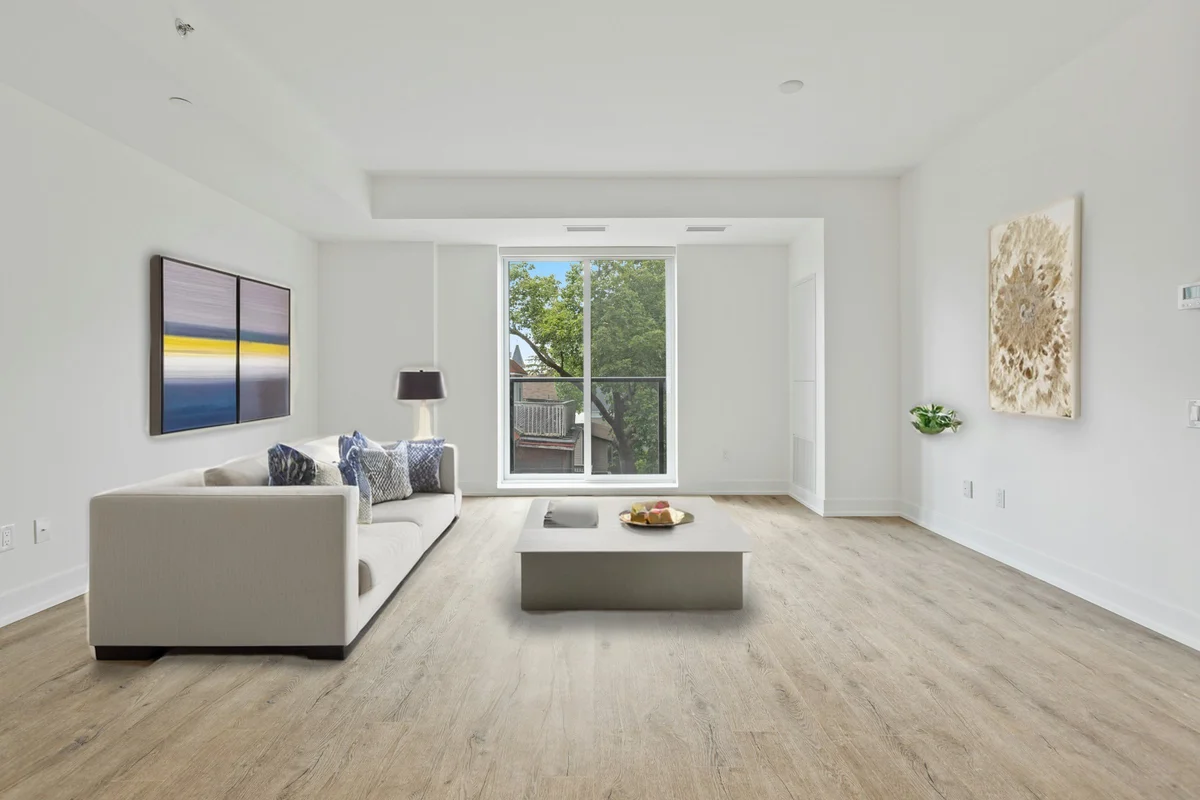
The living room is the first interior space most buyers judge, and an empty one makes it hard to gauge scale or imagine living there. Virtual staging furnishes an empty living room with realistic, perspective-correct furniture — a sofa, coffee table, rug, and accent pieces — in about a click, while keeping the walls, windows, and doors exactly as photographed. Pick a design style that matches the home, and the AI arranges a layout that shows off the room's proportions and natural light.
Quick answer
How do you virtually stage a living room?
Upload a photo of the empty living room, choose the 'living room' room type and a design style, and the AI adds realistic, perspective-correct furniture — sofa, coffee table, rug, and accents — while keeping walls, windows, and doors intact. EnhanceCraft labels every result 'Virtually Staged' so your listing stays compliant.
1-click
Furnish an empty room
25
Free credits to start
Labeled
"Virtually Staged" on every image
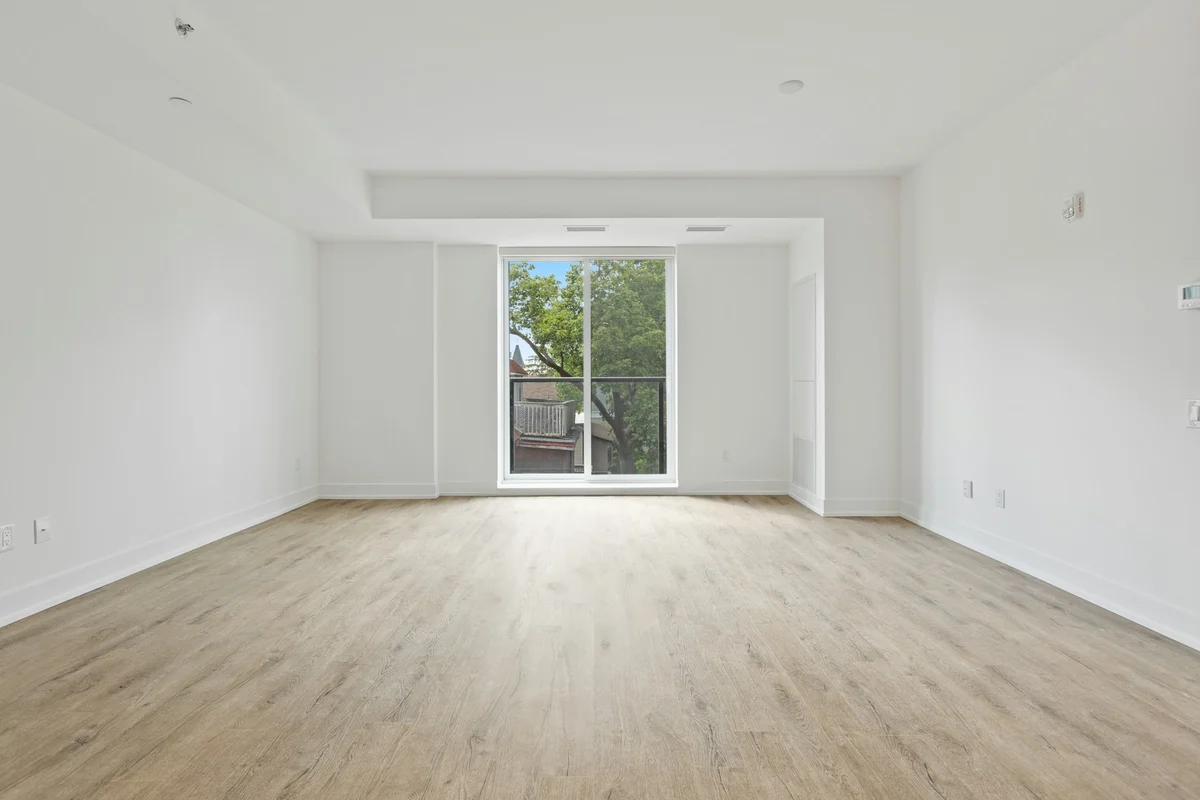
Before (empty room)
After (virtually staged)
25 free credits to start, then 10 every month. No credit card. Full resolution output.
Virtually Stage a Living Room FreeHow to virtually stage the room
- 1Upload a photo of the empty room — JPEG, PNG, or WebP, well-lit and clutter-free.
- 2Pick the room type and a design style so the furniture matches the space.
- 3The AI adds realistic, perspective-correct furniture while keeping walls, windows, and doors intact.
- 4Download the staged photo — it includes a "Virtually Staged" label — and add it to your listing.
Disclosure: these are virtually staged photos
Every image EnhanceCraft stages carries a discreet "Virtually Staged" label by default. Most MLS systems and realtor boards require you to disclose that listing photos are virtually staged — the label helps you stay compliant, but always follow the disclosure rules in your local market. Virtual staging shows how a space could be furnished; it never hides or alters the room's real structure, because the walls, windows, and doors are kept intact.
Frequently Asked Questions
What furniture does virtual staging add to a living room?
The AI furnishes an empty living room with the pieces buyers expect — a sofa, coffee table, area rug, accent chairs, and décor like wall art or plants — arranged to fit the room's actual dimensions and sightlines. You choose the design style, and the walls, windows, and doors in your photo stay exactly as shot.
Why stage the living room first?
The living room is usually the first interior buyers see and the space they most associate with day-to-day life, so it has an outsized effect on whether a listing gets saved or scrolled past. Staging it helps buyers judge scale and picture themselves there, which is exactly what an empty room cannot do.
Will the staged living room match my home's style?
Yes. You pick a design style — modern, mid-century, farmhouse, and more — so the furniture suits the property and the neighborhood. Trying a couple of styles on the same photo before you commit is a good way to find the most believable look.
Do I have to disclose a virtually staged living room?
Most MLS systems and realtor boards require you to disclose that photos are virtually staged. EnhanceCraft adds a discreet 'Virtually Staged' label to every image by default to help you stay compliant — always follow the specific rules in your local market.