MLS Photo Size Requirements (2026): What 9 MLSs Actually Publish
MLS photo size limits from nine boards’ own help pages (file size, pixels, formats, photo counts), the rules that get images pulled, and a 12-point check.
Munib Ali Laghari
Founder & Lead Developer
Quick answer
What size should MLS photos be?
There is no single MLS photo size; each MLS publishes its own limits. Across nine boards we checked, maximum file sizes run from 3 MB (MRED) to 30 MB (NTREIS), and pixel guidance from 1024 x 768 (Bright) to 3000–4000 px wide (MLSListings). A landscape JPEG inside 3000 x 2000 px and under 3 MB clears every published maximum.
Before

After
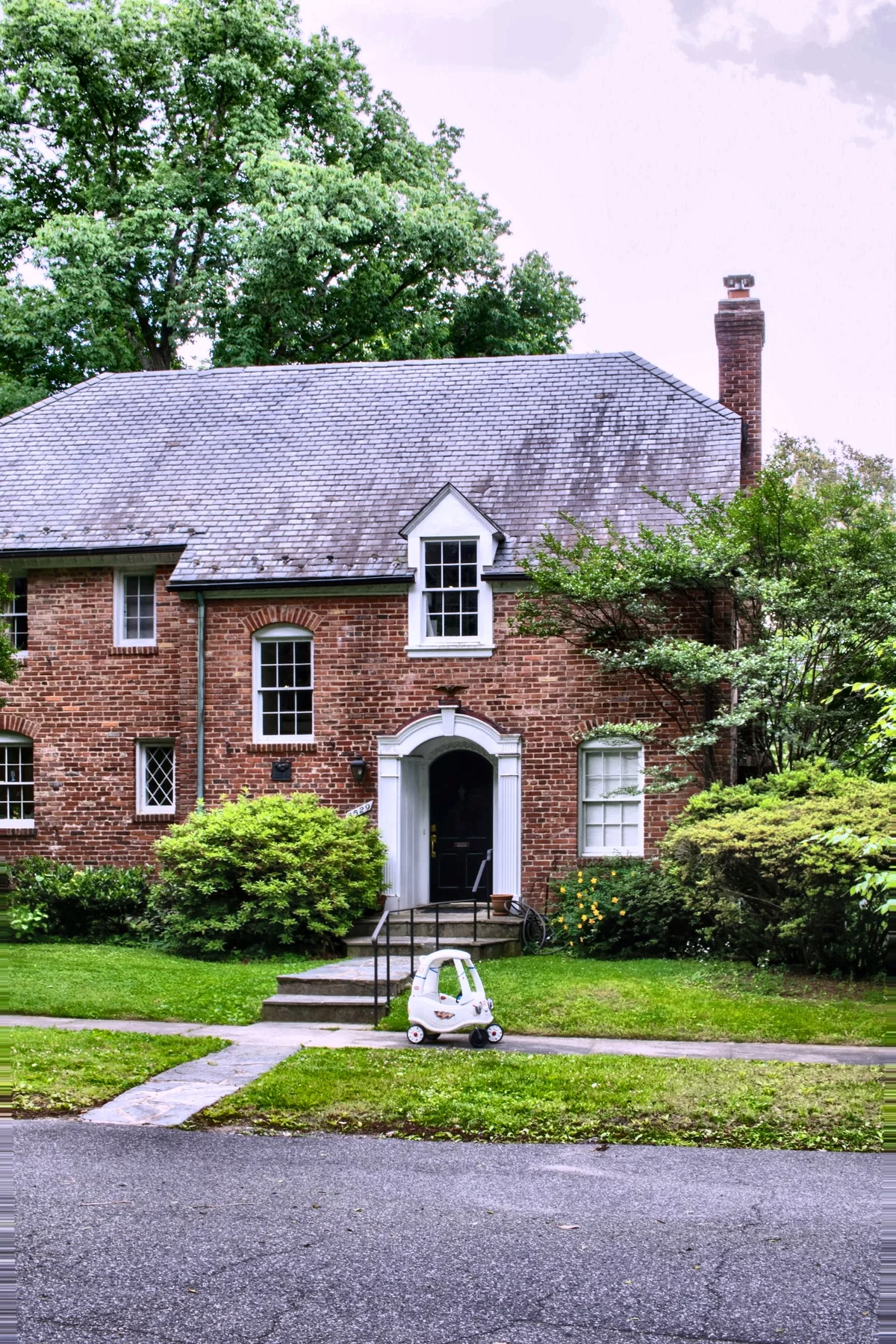
More examples like this: browse before & after results across every tool.
There is no single MLS photo size. Every MLS sets its own upload limits, and they disagree more than most guides admit. We checked nine boards at their own help pages: maximum file sizes run from 3 MB to 30 MB, and pixel guidance runs from "1024 x 768 or larger" to "3000-4000 pixels wide." JPEG is the one format every board that lists formats accepts.
The size limits are also the easy part. The rules that actually get an image pulled live in a different document, the MLS's rules and image policy, and they're about copyright, a curbside exterior, people, added text, and what you're allowed to alter. Below is the size table with a source for every row, one export setting that clears every limit in it, what the rulebooks say, where two major MLSs disagree on edits, and a twelve-point check to run before a listing goes live.
MLS Photo Size Limits: What Nine Boards Actually Publish
Each MLS publishes its own file limits, usually in a help-center article rather than in its rules. Every number below comes from the MLS's own support page, checked on 29 October 2026. Where a board doesn't state something, the cell says so instead of filling the gap with a guess.
| MLS (area) | Max file size | Pixel guidance | Formats | Photos per listing |
|---|---|---|---|---|
| [Bright MLS](https://support.brightmls.com/s/article/Use-of-Photos-Videos-in-Listings) (Mid-Atlantic) | Not stated | 1024 x 768 or larger (recommended) | .jpg | Up to 150 |
| [CRMLS](https://kb.crmls.org/?p=4162) (California) | 15 MB | 3000 x 2000 | JPG, PNG, GIF, TIFF, BMP and a few rarer types; HEIC not listed | 75 |
| [ARMLS](https://armls.com/all-about-armls-photo-rules) (Arizona) | 15 MB | 2000 x 3000 | JPG, PNG, GIF, TIFF, BMP and a few rarer types; HEIC not listed | Not stated |
| [MRED](https://mredllc.freshdesk.com/support/solutions/articles/36000379999-what-do-i-do-if-my-listing-photos-aren-t-uploading-) (Chicago area) | 3 MB | 1920 x 1080 recommended; up to 3840 x 2160, resized down | JPEG preferred; PNG, GIF, BMP, TIFF converted; HEIC and PDF rejected | Up to 50 per upload |
| [NTREIS](https://ntreis.my.site.com/support/s/article/Matrix-Photo-pixel-size) (North Texas) | 30 MB | At least 2048 x 1536 for best quality | Not stated | 40 |
| [MLSListings](https://support.mlslistings.com/s/article/New-Photo-Layout-Management-and-Hide-Photos-Post-Sale-Feature-Listing-Management) (Northern California) | 10 MB | No pixel limit; 3000-4000 px wide suggested; stored at 1440 x 1080 | Not stated | Not stated |
| [SDMLS](https://support.sdmls.com/support/solutions/articles/150000202496-paragon-photo-upload-help) (San Diego) | Under 15 MB (recommended) | 640 x 480 minimum, 3072 x 2304 maximum | JPG, PNG, GIF only | [75](https://support.sdmls.com/support/solutions/articles/150000199547-sdmls-listing-photo-compliance) |
| [Metro MLS](https://metromls.com/picture-this-everything-you-need-to-know-about-photos/) (Wisconsin) | Under 5 MB | Landscape; odd sizes get cropped | JPEG only | Not stated |
| [CVR MLS](https://support.cvrmls.com/kb/article/474-what-photo-size-should-i-use-on-my-listings/) (Central Virginia) | Not stated | As close to 1024 x 768 as possible, 4:3, under 90 DPI | Not stated | Not stated |
CRMLS and ARMLS both write their limit as "15 MB or" a pixel size, which doesn't say whether one or both apply. Staying inside both is the safe reading. Many boards also share the same listing software, so limits repeat: the Flexmls help page gives the same 15 MB or 3000 x 2000 ceiling, and its June 2025 version adds HEIC to the accepted formats.
Three things stand out once the numbers sit side by side:
- ●The spread is wide. MRED's 3 MB ceiling is a tenth of NTREIS's 30 MB. A file that uploads without complaint in Dallas fails in Chicago.
- ●"Recommended" is not "minimum." Bright says 1024 x 768 "or larger" as a recommendation. Around the web the same figure gets repeated as a hard minimum.
- ●Bigger is not shown bigger. MLSListings stores every photo at 1440 x 1080, and MRED resizes larger uploads down to 1920 x 1080. On those boards, pixels beyond that only slow the upload down.
One Export Setting That Clears Every Limit Above
Export landscape JPEGs that fit inside 3000 x 2000 pixels and come in under 3 MB. That stays inside every maximum in the table, including MRED's 3 MB file ceiling and the 3000 x 2000 cap at CRMLS and ARMLS. It also meets the recommended minimums, NTREIS's 2048 x 1536 included. Only MLSListings suggests going wider (3000 to 4000 pixels), and since it stores every photo at 1440 x 1080, that extra width doesn't show. Inside that box, a 3:2 photo tops out at 3000 x 2000 and a 4:3 photo at about 2667 x 2000.
File size depends on the scene. Fine, busy detail like foliage or brick compresses less than a plain white wall, so look at the number on the exported file rather than assuming. If one comes out over 3 MB, lower the JPEG quality a notch before you cut pixels. And if you list with CVR MLS, which asks for photos as close to 1024 x 768 as possible, follow your board: that's a preference, not a ceiling, but it's the one your MLS stated.
Is 2048 x 1536 the Standard MLS Photo Size?
No single standard exists. 2048 x 1536 is a real figure: NTREIS recommends at least that "for maximum quality." But it's one board's guidance. Bright recommends 1024 x 768 or larger, MRED 1920 x 1080, and MLSListings 3000 to 4000 pixels wide. Treat any number presented as "the MLS standard" as a guess until you've read your own board's page.
Should MLS Photos Be 4:3 or 16:9?
Shoot landscape, in 4:3 or 3:2, and then check what your board displays. CVR MLS asks for 4:3, and MLSListings stores every photo at 1440 x 1080, which is a 4:3 frame. MRED's recommended 1920 x 1080 is 16:9. Metro MLS warns that square or odd-sized images get cropped by the MLS, so cropping yourself first keeps the decision in your hands.
Most interchangeable-lens cameras shoot 3:2 and most phones 4:3, and both sit close to what boards expect. A 16:9 crop takes its height out of the ceiling and the floor, which is where a room shows its size, so only crop to it if your board displays 16:9.
The Rules That Actually Get an Image Pulled
File limits stop a photo at upload, where you see the error straight away. The rules below remove a photo after it's live. They sit in each MLS's rules and image policy, and Bright's are a useful example because they're detailed and public. Every clause below is quoted from Bright's Policy on Images and Documents in the MLS (dated 28 February 2024) or its photo requirements support article.
You need the copyright, or written permission. Subscribers warrant that they own the copyright or have obtained consent, and if you did not take the photo, "a copyright release must be obtained from the individual holding the copyright interest." Hiring a photographer does not automatically transfer that right. Bright even suggests putting a transfer provision in the photographer agreement.
The first photo has a job and a deadline. Bright's support article says "at least one photo must be submitted at the time of listing entry," the rest within 72 hours, and at least one must be a curbside view showing the property as it appears on arrival. Both deadlines are waived for Coming Soon listings or when the seller has directed in writing that no images be submitted. Other boards set their own clocks: ARMLS wants a front exterior within 4 days of a listing going Active, SDMLS within 72 hours of entry, and Stellar MLS requires the primary photo to be "property-centric."
No people, and that includes generated ones. Bright's images may not include "images of any identifiable person real, animated, computer-generated, or otherwise." Stellar separately bars lifestyle photos and virtual tours featuring people, including people in costume, and SDMLS bars people and pets. The phrase "computer-generated" matters more every year: a synthetic model dropped into a room to make it feel lived in is prohibited under the same clause as a real one.
Nothing added on top of the photograph. Bright prohibits "any readable text, graphics, contact information", "any contact or identifying information nor any text or graphics that have been added or superimposed on them", and "any signs or identifying logos". Images also "may not convey any marketing or promotional messages" for the broker or agent. SDMLS adds QR codes and For Sale signs to the list. ARMLS is the useful exception to remember: it allows a For Sale sign if every word on it is blurred, and it requires a "Digitally Altered" watermark on altered media, shown alongside the unaltered original. One board's banned overlay is another board's required label.
Old photos are not automatically yours to reuse. Subscribers may not use content from a prior listing of the same property for a current listing "without the express consent of the owner of proprietary rights in the media content." A property coming back on the market is exactly when agents reach for last year's gallery.
And the enforcement is blunt: "the MLS may remove any image from the MLS Database that does not conform."
Where Two Major MLSs Openly Disagree
Both Bright and Stellar publish rules on digital alteration. They do not match, which is the clearest possible argument against trusting any universal checklist, including this one, over your own board's rulebook.
| Edit | Bright MLS | Stellar MLS |
|---|---|---|
| Virtual staging of an empty room | Permitted, must be disclosed in the MLS | Permitted, listing must stay accurately portrayed |
| Digitally removing existing furniture and replacing it | Explicitly permitted | Not addressed in the same permissive terms |
| Changing paint colours | Not addressed | Explicitly prohibited |
| Removing or swapping permanent fixtures | Not addressed | Explicitly prohibited |
| Removing utility lines | Restricted under the "elements not within a property" clause | Explicitly prohibited |
| Adding landscape plantings | Not addressed | Explicitly prohibited |
| Covering up material flaws | Prohibited in effect | Explicitly prohibited |
| Inventing a view from a window | "Strictly prohibited" | Accuracy rule applies |
| Identifiable people in images | Prohibited, including computer-generated | Prohibited in lifestyle photos and tours |
Bright's wording on the view is worth quoting because it settles a question agents ask constantly: modifying a photo "to include visual elements not within a property control is strictly prohibited. For example, editing in a view of a scene that is not physically possible from the specified location in the real world." That is the rule behind the honesty line we drew in the window pull guide (recover the view that exists, never invent a nicer one), and it applies equally to sky replacement.
The 12-Point Check Before You Go Live
Run this on the finished set, not on each export. It takes a few minutes and catches nearly everything that gets an image pulled.
- 1.Copyright cleared. You took the photos, or you hold a written release from whoever did.
- 2.First photo is an unbranded curbside exterior, in the slot and inside the deadline your MLS sets (Bright: one photo at entry and the rest within 72 hours; ARMLS: a front exterior within 4 days of going Active).
- 3.No identifiable people anywhere — in reflections, through windows, in a framed portrait on the wall, or generated.
- 4.No text, logos, signs, or watermarks you added, including your own branding. The exception is a label your MLS requires, such as ARMLS's "Digitally Altered" watermark.
- 5.No photos recycled from a previous listing unless you have express consent from the rights holder.
- 6.Every altered image disclosed as your MLS requires, and labelled where the rules call for it.
- 7.Alterations checked against your board's list, not a generic one — paint, fixtures, utility lines, and plantings are treated differently in different states.
- 8.No invented views. Windows show what is actually outside them; skies are plausible for the location.
- 9.Format converted to JPEG. iPhones save HEIC by default. MRED rejects it outright, and most boards' format lists leave it out.
- 10.Landscape, inside your board's pixel limits, with enough resolution that the portal's zoom does not turn soft.
- 11.File size under your MLS's ceiling, which runs from 3 MB at MRED to 30 MB at NTREIS, so confirm yours rather than assuming.
- 12.Privacy sweep — mail with an address, prescription labels, a calendar, a visible security panel, a screen showing a logged-in account, children's photos on the fridge.
Items 1 through 8 come from published rules. Items 9 through 11 come from the upload limits in the table above. Item 12 is not in any rulebook and is the one sellers actually complain about afterwards.
How to Find Your Own Board's Photo Limits
Search your MLS's support site, not its rulebook. When we first wrote this guide in August 2026, we read Bright's image policy end to end and found no file format, pixel size, file-size ceiling, or photo count in it. The numbers weren't missing; they were in a separate support article (1024 x 768 or larger, .jpg, up to 150 photos). Every number in the table above came from a help or support page the same way, not from a rulebook.
The route takes about five minutes:
- 1.Sign in to your MLS and search its help center for "photo size" or "upload photos."
- 2.Check the date on the article. Several of the pages above are years old, and limits do change.
- 3.Look at the upload screen itself. If it states a limit, that limit is the one being enforced.
- 4.Write the three numbers (format, pixels, file size) on a sticky note. They won't change often.
Your board's software matters too. If it runs on a shared platform such as Flexmls, Paragon, or Matrix, the platform's help page may state the hard ceiling while your board's page states its preferences, so read both.
What's safe to generalise is narrower than the internet suggests. JPEG is accepted by every board in the table that lists formats, and landscape is expected almost everywhere. Beyond those two, check.
Two Fixes Worth Making Before Upload
Format, because of the phone. An iPhone saves listing photos as HEIC unless the setting has been changed. Bright and Metro MLS take JPEG only, and MRED rejects HEIC outright, so the file looks fine on the phone and fails at the portal. Apple's HEIF support page gives the fix: before the shoot, go to Settings, then Camera, then Formats, and choose Most Compatible, and new photos save as JPEG. For photos you've already taken, Apple notes that sharing them to a device that can't read HEIF, or importing them to a PC, may convert them to JPEG automatically. EnhanceCraft doesn't accept HEIC uploads either (JPG, PNG, and WebP only), so convert first. From there, the listing pack's last step saves every photo as JPEG at zero extra credits, and the image converter switches between JPG, PNG, WebP, and AVIF for free.
Quality, because "clear and well lit" is a rule, not a preference. Boards reserve the right to pull an image that does not conform, and dark rooms, blown-out windows, and leaning verticals are the usual reasons a gallery looks amateur even when every individual rule is met. The standard corrections (geometry, noise, colour, and the lawn) are deterministic, which is why we bundle them: the real estate photo enhancer runs the standard pack at 2–3 credits an image (interior or exterior), or about six to nine cents on the Starter plan, and the edit pack guide walks through why the order matters. Everything altering the property rather than the photograph — virtual staging, sky replacement, twilight — sits on the disclosure side of the line, which we covered in what actually changed in 2026.
One size note, since this guide is about sizes. Free EnhanceCraft downloads are capped at 1,200 pixels on the long edge. That meets Bright's and CVR's 1024 x 768 guidance but falls short of what MRED, NTREIS, and MLSListings recommend; paid plans and credit packs download at full resolution. They also remove the watermark that free results carry, which matters because rules like Bright's ban marks you add.
Before You Hit Publish
The useful mental model is that MLS photo rules are about two things and only rarely about pixels. Did you have the right to use this image, and does it honestly represent the property? Nearly every published clause resolves to one of those questions. The size limits are the part you look up once, write down, and stop thinking about.
Run the corrections on the whole set, disclose whatever you altered, and check the three numbers against your own board. That is the job, and most of it is automatable, which is the point of our AI image toolkit. The agent-facing pieces are gathered in the real estate hub, and if you're still choosing an editor, our roundup of AI tools for real estate photos compares the options. Try the free Real Estate Photo Enhancer — 25 credits to start with no card, enough for eight listing photos through the full pack, then 10 every month, and pay-as-you-go credits never expire, so a slow month costs you nothing.
Found this helpful?
Share it with your network
Ready to try it yourself?
25 free credits to start, then 10 every month. No credit card. Most images are ready in about 7 to 15 seconds.
Try Real Estate Photo Enhancer freeMunib Ali Laghari
Founder & Lead Developer · EnhanceCraft
Munib Ali Laghari is the founder and lead developer of EnhanceCraft, an AI image toolkit. He writes about AI upscaling, photo restoration, and background removal. Connect on LinkedIn